Category: Fitness

Gym and fitness memberships.

  • How to Cancel Strava (2026)

    How to Cancel Strava (2026)

    How to Cancel Strava (2026)

    Checked 2026-10-04. Official source: How do I Cancel my Subscription?. Use the platform you subscribed on. It renews unless you cancel at least 24 hours before the renewal date.

    Quick answer

    1. Website: profile picture → Settings → My Account → Cancel Subscription.
    2. iOS or Android purchase: cancel in Apple Subscriptions or Google Play. The website button is for website purchases.
    3. A full refund may be available within 14 days of purchase. After that, Strava says subscriptions are non-refundable. Canceling a recent renewal does not start a refund.
    4. Features last until the term ends. Uploaded activities are not deleted.
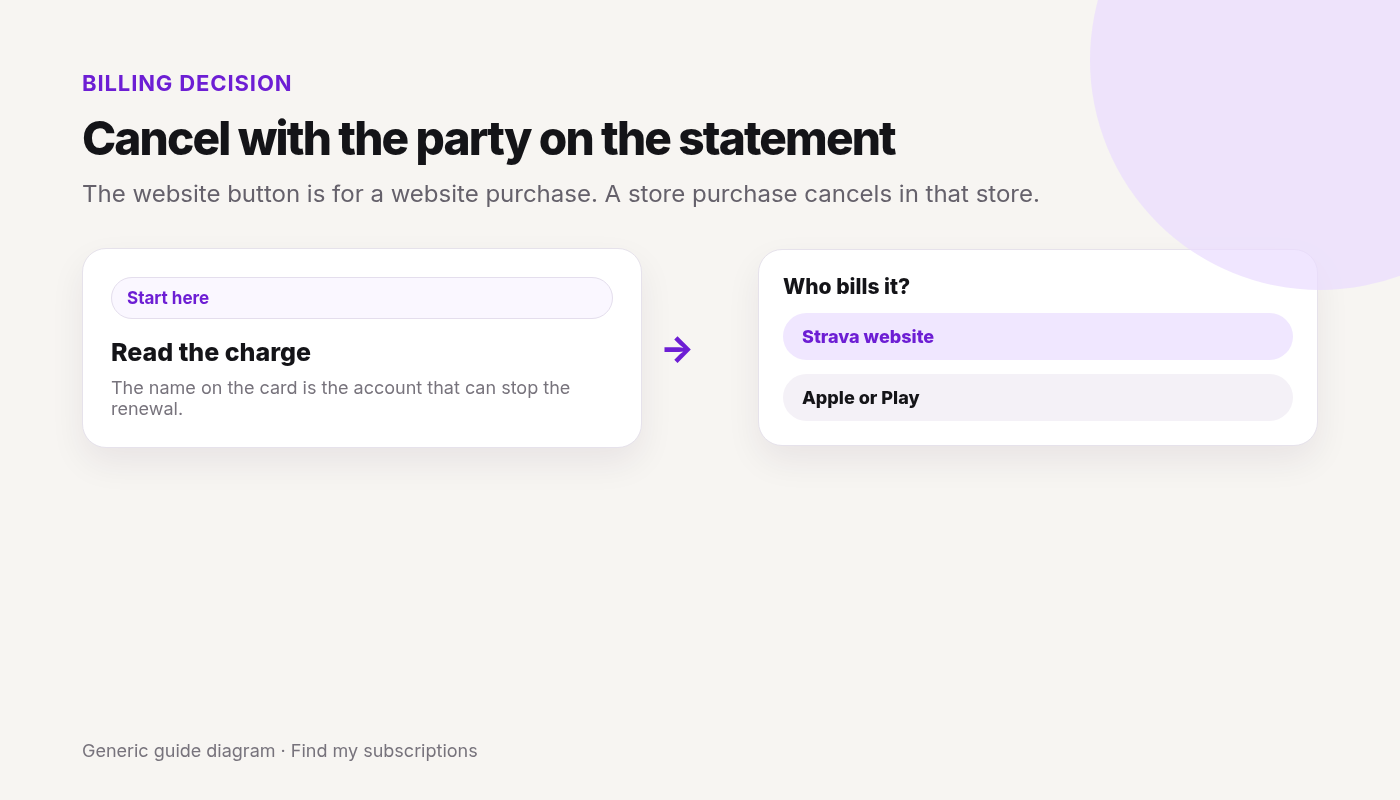
    The website button is for a website purchase. A store purchase cancels in that store.
    The website button is for a website purchase. A store purchase cancels in that store.

    Canceled Strava and still not sure what else renews on this Google account? Free discovery, no bank login.

    Free discovery, no bank login.

    Continue with Google · No bank login

    Strava is only one charge.

    See what else is still charging this Google account.

    Free discovery · No bank login · Works on mobile

  • How to Cancel WeightWatchers (2026 Guide)

    How to Cancel WeightWatchers (2026 Guide)

    This guide covers how to cancel WeightWatchers in the United States. Steps and fees can vary by account, club, and agreement — treat official help pages and your contract as the source of truth.

    Quick answer

    1. Confirm who bills you (WeightWatchers/WW vs Apple vs Google Play).
    2. Open weightwatchers.com/us/cancellation, sign in, and complete cancel or switch (or use in-app Help).
    3. Or contact 24/7 chat / call 1-800-651-6000 (US Help).
    4. Note when cancel takes effect — Commitment / pre-pay / monthly rules differ (below).
    5. Store-billed: cancel in Apple/Google. Deleting the app does not cancel.

    Canceling one service?

    See what else is still charging this Google account — free discovery, no bank login.

    Continue with Google · No bank login

    Quick cancel — Account / app (WW-billed)

    From WeightWatchers cancellation / billing Help (2026-09-29):

    1. Go to Manage Your WW Membership (or account Help → cancel path inside the WW app / site after sign-in).
    2. Complete the on-screen cancel or switch flow. Labels may vary — follow WW’s live UI; if stuck, use 24/7 chat.
    3. Billing Help also lists cancel online on weightwatchers.com as the fastest path and phone 1-800-651-6000.
    4. Save confirmation email/chat transcript; re-check membership status.

    Done canceling WeightWatchers? Other subscriptions may still renew on this email.

    Find my subscriptions — Continue with Google · Free discovery · No bank login · Works on mobile

    Store billing

    Apple / iPhone

    If Apple bills WW: Settings → [Your Name] → Subscriptions → WeightWatchers / WW → Cancel Subscription.

    Google Play / Android

    Play → Subscriptions → WW / WeightWatchers → Cancel subscription. Uninstall ≠ cancel.

    Commitment / fees (official only)

    From WW’s cancellation page:

    • Multi-month Commitment Plans: cancellation takes effect at the end of the Commitment Plan period. After that period, cancel takes effect at the end of the membership month in which you cancel.
    • Pre-pay Savings Plans: end of the initial plan period, then end of the membership month after.
    • Standard one-month plans: end of the membership month in which you cancel.
    • Refunds: see WW’s linked Refund Policy on the cancellation page.
    • Membership Agreements may include early cooling-off language by state — verify on your contract / membership terms.
    • commitment end date ≠ “cancel tomorrow and stop all charges immediately” unless your plan says so.

    Charged after canceling

    1. Still inside Commitment / pre-pay period?
    2. Membership month already billed?
    3. Apple/Google still on?
    4. Workshops + Digital vs Digital-only confusion / dual products?
    5. See Charged after canceling.

    Retention offers

    WW may offer coaching, plan switches, or prompts to stay. You’re allowed to decline and finish cancel.

    What you lose / what happens next

    • App / workshop access ends per your plan’s effective cancel date.
    • Rejoin pricing may differ.
    • Keep confirmation until statements are clean.

    One cancel done. What else are you paying for?

    After you finish this guide, see what other subscriptions may still be renewing.

    Continue with Google · No bank login

    FAQ

    How do I cancel WeightWatchers / WW online?

    Use WeightWatchers’ cancel/manage page at weightwatchers.com/us/cancellation (sign in) or follow in-product Help / 24/7 chat. Phone: 1-800-651-6000. Save confirmation.

    When does WW cancellation take effect?

    Per WW cancellation page: multi-month Commitment Plans take effect at end of the Commitment period (then end of membership month after). Pre-pay Savings Plans: end of initial plan period, then end of membership month. Standard one-month: end of the membership month you cancel.

    Is there a WeightWatchers cancellation fee?

    Commitment and plan rules vary. WeightWatchers doesn’t publish a fixed cancellation fee. Check your Membership Agreement, WW Refund Policy, and confirmation. Early cooling-off rights may apply by jurisdiction — verify on official terms.

    How do I cancel WW if Apple or Google bills me?

    Cancel in Apple Settings → Subscriptions or Google Play Subscriptions if the store bills you. WW site cancel won’t stop store billing.

    Can I cancel WW by phone or chat?

    Yes. WW lists 24/7 chat and phone 1-800-651-6000 (US Help). Prefer written confirmation.

    Why was I charged after canceling WeightWatchers?

    Often commitment period still running, current membership month owed, or store billing still on.

    Does deleting the WW app cancel membership?

    No.

    Related cancels

    Not legal advice. Steps and plan rules change — verify on official Help and your Membership Agreement.

  • How to Cancel 24 Hour Fitness (2026 Guide)

    How to Cancel 24 Hour Fitness (2026 Guide)

    How to Cancel 24 Hour Fitness (2026 Guide)

    This guide covers how to cancel 24 Hour Fitness in the United States. Steps and fees can vary by account, club, and agreement — treat official help pages and your contract as the source of truth.

    Quick answer

    1. Read your membership agreement.
    2. Ask home club which cancel methods are accepted.
    3. Prefer written proof; use certified mail when mail is required/safer.
    4. Freeze ≠ cancel.
    5. Watch 1–2 billing cycles after effective date.

    Canceling one service?

    See what else is still charging this Google account — free discovery, no bank login.

    Continue with Google · No bank login

    Quick cancel steps — Cancel (24 Hour Fitness-billed path)

    1. Locate home club + agreement.
    2. Ask Member Services: accepted channel, notice period, buyout in writing, effective date.
    3. If portal cancel exists, use it and screenshot confirmation.
    4. If mail required: certified mail + return receipt to the address they specify.
    5. Keep proof until dues stop.

    See Gym membership hub.

    Done canceling 24 Hour Fitness? Other subscriptions may still renew on this email.

    Find my subscriptions — Continue with Google · Free discovery · No bank login · Works on mobile

    App-store / partner billing if relevant — platform-specific paths

    Apple / iPhone

    1. Settings → [Your Name] → Subscriptions.
    2. Select 24 Hour Fitness → Cancel Subscription.
    3. App-only cancel may not stop Apple billing.

    Google Play / Android

    1. Play Store → Payments & subscriptions → Subscriptions.
    2. Select 24 Hour Fitness → Cancel subscription.
    3. Uninstalling the app does not cancel Play billing.

    Other partners

    If Amazon, Microsoft, OEM, or a retailer bills you, cancel in that store’s subscription manage page and confirm the merchant account no longer expects renewal.

    Fees or commitment (if any) — fees, contracts, and money at risk

    • Early termination / buyout: club- and agreement-specific — unknown national amount.
    • Annual fees may still post depending on timing.
    • Freeze fees ≠ cancel.
    • Yellow: high friction / contract risk.

    Charged after canceling

    1. Notice late?
    2. Freeze mistaken for cancel?
    3. Annual fee window?
    4. Wrong club / PT agreement?

    See also Charged after canceling a subscription.

    Retention offers

    24 Hour Fitness may show discounts or plan changes while you cancel. You’re allowed to decline and finish cancel.

    What you lose / what happens next

    Paid features end when the paid period ends (confirm your status). Keep proof until statements are clean. Rejoin pricing may differ.

    One cancel done. What else are you paying for?

    After you finish this guide, see what other subscriptions may still be renewing.

    Continue with Google · No bank login

    FAQ

    How do I cancel 24 Hour Fitness?

    Follow your agreement and home club’s accepted method (desk, portal if offered, and/or mail). Get written confirmation.

    Is there a 24 Hour Fitness cancellation fee?

    Sometimes — agreement-specific. Ask for the amount in writing. 24 Hour Fitness doesn’t publish a fixed cancellation fee. Check your confirmation or agreement.

    Can I cancel 24 Hour Fitness online?

    Only if your club/account offers it. Many members still need club or mail — confirm with your home club.

    Freeze vs cancel?

    Freeze keeps membership open; cancel ends it. Confirm which you completed.

    Why was I charged after canceling?

    Late notice, freeze mix-up, annual fee timing, or cancel not accepted through the required channel.

    Does stopping my bank payment cancel the gym?

    No — that can create collections risk if membership is still active.

    Related cancels

    Not legal advice. Steps change — verify on official help pages linked above.

  • How to Cancel ClassPass Membership (2026): Web & App

    How to Cancel ClassPass Membership (2026): Web & App

    How to Cancel ClassPass Membership (2026): Web & App

    To cancel your ClassPass membership, go to Account → Settings → Cancel your membership on the website, or Profile → Settings → Billing → Cancel my membership in the app, and confirm. ClassPass Help says there’s no cancellation fee, recommends canceling at least 48 hours before renewal, and unused credits are lost after you cancel.

    Last checked 2026-10-20.

    Quick answer

    1. Website: click your initial → Account → Settings → red Cancel your membership → confirm.
    2. App: Profile → Settings → Billing → Cancel my membership → confirm.
    3. Submit ≥ 48 hours before renewal (ClassPass recommendation).
    4. Expect a cancellation confirmation email — if you don’t get it, Help says the request was not received.
    5. No cancel fee per Help; unused credits are forfeited when your billing cycle ends.

    Canceling one service?

    See what else is still charging this Google account — free discovery, no bank login.

    Continue with Google · No bank login

    Quick cancel steps — Cancel ClassPass (website / app)

    From ClassPass Help:

    Website

    1. Click your initial → Account.
    2. Open Settings.
    3. Click Cancel your membership.
    4. Follow prompts; save confirmation email.

    App

    1. Profile (bottom right).
    2. Settings → under Billing → Cancel my membership.
    3. Confirm.

    Trials auto-renew into paid; trial cancel is immediate and drops credits/classes — wait until last trial day if you still need those reservations.

    Done canceling ClassPass? Other subscriptions may still renew on this email.

    Find my subscriptions — Continue with Google · Free discovery · No bank login · Works on mobile

    Will I lose my ClassPass credits if I cancel?

    Yes. Plan around your billing date:

    • Paid membership: per ClassPass Help, all remaining credits — including rolled-over and purchased credits — are forfeited on the last day of your billing cycle. ClassPass Terms say you keep access through the end of the current prepaid cycle, so book and attend what you want before your renewal date.
    • Trial: canceling a trial is immediate. Trial credits are gone and scheduled classes are canceled right away.
    • No cash back: credits have no cash value and aren’t refundable or transferable.
    • Want to keep credits? A pause (if ClassPass grants one) freezes them instead. See Pause vs cancel below.

    Canceling a ClassPass free trial

    • Trials automatically convert to a paid monthly membership unless you cancel by 11:59 pm local time on the last day of the trial (ClassPass Terms).
    • Use the same cancel steps as a membership: Account → Settings → Cancel your membership on the web, or Profile → Settings → Billing → Cancel my membership in the app.
    • Trial cancellation takes effect immediately: trial credits expire and upcoming reservations are canceled. ClassPass suggests canceling on the last day of the trial if you still want to use those bookings.
    • Trial credits don’t roll over into a paid plan, unless ClassPass told you otherwise at sign-up.

    Pause vs cancel ClassPass

    Pause

    • Request one through ClassPass chat and give the reason. ClassPass may grant a temporary pause; it isn’t guaranteed.
    • No charges while paused. Credits are frozen, and unused credits roll over when billing resumes.

    Cancel

    • Account → Settings → Cancel your membership, at least 48 hours before renewal.
    • Billing stops at renewal, and remaining credits are forfeited on the last day of your billing cycle.
    • Resuming a pause: Account Settings → Manage plan → Resume membership. Per ClassPass Help, the membership fee is charged right away and your billing date moves to the day you resume.
    • Smaller plan instead: Account → Manage plan → choose a lower-credit plan. The change starts on your next billing cycle (ClassPass Help).

    Canceling a class vs canceling your ClassPass membership

    Canceling a booked class doesn’t cancel your membership, and the steps are different.

    Cancel a class reservation (ClassPass Help):

    1. App: tap Upcoming → open the reservation → Cancel → Cancel my reservation.
    2. Website: click Upcoming → find the reservation → Cancel reservation → Cancel my reservation.
    3. When it works, the class disappears from Upcoming and the credits go back to your balance.
    • Cancel through ClassPass, not with the studio directly. ClassPass says a cancel made with the business won’t process and you may be charged a fee.
    • Late cancel: reservations can generally be canceled up to 12 hours before start time with no charge. Inside that window, the credits come back but a late-cancellation fee applies — $10–56 in the US (plus tax), and $12–62 for a missed reservation, per ClassPass Help. The exact fee shows in the reservation’s cancellation policy.

    App-store / partner billing if relevant — platform-specific paths

    ClassPass Help’s cancel steps cover memberships billed by ClassPass. If your statement shows the charge from Apple or Google Play, cancel in that store.

    Apple / iPhone

    1. Settings → [Your Name] → Subscriptions.
    2. Select ClassPass → Cancel Subscription.
    3. If there’s no Cancel button, Apple says the subscription is already canceled.

    Google Play / Android

    1. Play Store → profile → Payments & subscriptions → Subscriptions.
    2. Select ClassPass → Cancel subscription.
    3. Uninstalling the app does not cancel Play billing.

    Fees or commitment (if any) — fees, contracts, and money at risk

    • Cancel fee: ClassPass Help — no fee to cancel.
    • Credits: unused (including rollover) are lost after cancel.
    • Refunds: ClassPass Terms say fees are generally nonrefundable unless stated at purchase, with no refunds for unused credits or prior months.
    • Timing: cancel ≥ 48 hours before renewal when possible.
    • Class fees: late-cancel and missed-reservation fees are separate from your membership.

    Charged after canceling

    1. Cancel <48 hours before renewal?
    2. No confirmation email (request not received)?
    3. Apple/Google still billing?
    4. Late-cancel or missed-class fee from a reservation (posts within 5–7 business days)?
    5. See Charged after canceling.

    What you lose / what happens next

    • Access continues through the end of your current billing cycle, then stops.
    • Remaining credits, including rollover and purchased credits, are forfeited.
    • If you come back later, ClassPass Terms reserve the right to charge a reactivation fee.

    One cancel done. What else are you paying for?

    After you finish this guide, see what other subscriptions may still be renewing.

    Continue with Google · No bank login

    FAQ

    How do I cancel ClassPass online?

    Website: initials → Account → Settings → Cancel your membership → confirm. App: Profile → Settings → Billing → Cancel my membership. Save the confirmation email.

    If I cancel my ClassPass, will I lose my credits?

    Yes. ClassPass Help says all remaining credits, including rolled-over and purchased credits, are forfeited on the last day of your billing cycle. Use them before your renewal date. Trial credits are lost immediately when you cancel a trial.

    Can I still use ClassPass after I cancel?

    Yes, for a paid membership. ClassPass Terms say you keep access through the end of your current prepaid cycle. Trial cancellations end access immediately.

    Is there a ClassPass cancellation fee?

    ClassPass Help states there is no fee to cancel; unused credits (including rollover) are forfeited after cancel.

    When should I cancel to avoid another charge?

    ClassPass recommends submitting cancel at least 48 hours before renewal so the request fully processes.

    How do I cancel a ClassPass free trial?

    Use the same steps as a membership cancel. Do it by 11:59 pm local time on the last trial day, or the trial converts to a paid monthly plan. Canceling a trial is immediate, so trial credits and booked classes are dropped right away.

    What happens if I cancel during a trial?

    ClassPass Help: trial cancellations are immediate and remove credits / cancel scheduled classes — wait until the last trial day if you still want those bookings.

    Can I pause ClassPass instead of canceling?

    You can ask. ClassPass may grant a temporary pause if you contact support via chat with a reason. While paused you aren’t charged and your credits are frozen, then roll over when billing resumes.

    Is canceling a class the same as canceling my ClassPass membership?

    No. Canceling a reservation (Upcoming → Cancel) only frees that booking and returns the credits; your membership keeps renewing. To stop billing, use Settings → Cancel your membership.

    Does ClassPass refund unused credits?

    No. ClassPass Terms say credits have no cash value and fees are generally nonrefundable, including for unused credits.

    Can I switch to a smaller ClassPass plan instead?

    Yes. Go to Account → Manage plan and choose a lower-credit plan. It takes effect on your next billing cycle.

    Why was I charged after canceling ClassPass?

    Often cancel submitted too close to renewal, confirmation email never arrived (request not received), or store billing still active.

    Does deleting the ClassPass app cancel membership?

    No.

    Related cancels

    Not legal advice. Verify on official Help.

  • How to Cancel a Gym Membership (2026 Guide)

    How to Cancel a Gym Membership (2026 Guide)

    How to Cancel a Gym Membership (2026 Guide)

    This guide covers how to cancel gym membership in the United States. Steps and fees can vary by account, club, and agreement — treat official help pages and your contract as the source of truth.

    Checked 2026-09-28. This hub explains shared gym-cancel patterns. Brand-specific steps and fees live on each service page. Always verify on the merchant’s official pages and your agreement.

    Quick answer

    1. Pull your membership agreement — notice window, early termination / buyout, freeze rules, and accepted cancel channels.
    2. Prefer a channel that leaves written proof: member portal (if offered), home-club desk receipt, or certified mail with return receipt.
    3. Freeze ≠ cancel. Ask which product you completed.
    4. Save confirmation + effective date; watch 1–2 billing cycles.
    5. Jump to your brand guide for exact UI labels (links below).

    Canceling one service?

    See what else is still charging this Google account — free discovery, no bank login.

    Continue with Google · No bank login

    Notice & home club: Shared gym cancel pattern

    1. Identify home club / billing entity (franchise clubs often control cancel).
    2. Confirm whether online cancel exists for your club (varies widely).
    3. If mail is required or safer: send a clear cancel letter to the address your club specifies; use certified mail + return receipt when you need a paper trail.
    4. Ask in writing: effective date, any early-termination amount, annual fee timing, and whether prepaid time remains.
    5. Decline freeze/transfer if your goal is to end the membership.
    6. Keep proof until statements are clean.

    Mail vs online

    Use the online portal when the club offers it; if mail is required or safer, use the address the club specifies and keep delivery proof.

    Freeze vs cancel

    A freeze keeps the membership open; cancellation ends it under the agreement and notice rules.

    Done canceling gym membership? Other subscriptions may still renew on this email.

    Find my subscriptions — Continue with Google · Free discovery · No bank login · Works on mobile

    Fees / early terminate (category)

    • Cancellation / ETF: common inside commitment terms; unknown here until your agreement/club quotes it in writing.
    • Annual fees: often post on a calendar date — cancel timing matters.
    • Freeze: may reduce dues temporarily but keeps membership open.
    • Bank stop-payment alone: can create collections risk if membership still active.

    contract risk — get numbers in writing before you pay a buyout.

    Links to brand guides (live / shipping)

    Charged after canceling

    Late notice, annual-fee timing, a freeze mistaken for cancel, the wrong club, or an unaccepted channel can explain a later charge.

    One cancel done. What else are you paying for?

    After you finish this guide, see what other subscriptions may still be renewing.

    Continue with Google · No bank login

    FAQ

    How do I cancel a gym membership in general?

    Read your membership agreement, then use the club’s accepted method (home club desk, member portal, and/or certified mail). Get written confirmation with an effective date.

    Is there usually a cancellation fee?

    Sometimes — especially inside an initial commitment term. Amounts are agreement- and club-specific. Ask for the fee in writing; don’t trust a blog’s dollar figure.

    Freeze vs cancel — what’s the difference?

    Freeze/hold keeps the membership open (often for a fee). Cancel ends it per notice rules. Confirm which one you completed.

    Can I cancel online?

    Only if your brand/club offers an online cancel path. Many franchises require home-club or mail. Check your brand guide.

    Why was I charged after canceling a gym?

    Late notice, annual fee timing, freeze mistaken for cancel, wrong club, or cancel not accepted through the required channel.

    Which gym cancel guides do you have?

    Planet Fitness, LA Fitness, Anytime Fitness, and Crunch Fitness — plus more Mid gyms as they ship.

    Related cancels

    Not legal advice. Franchise rules vary by club and state.

  • How to Cancel LA Fitness (2026) — Online, Club & Mail

    How to Cancel LA Fitness (2026 Guide)

    This guide covers how to cancel LA Fitness in the United States. Steps and fees can vary by account, club, and agreement — treat official help pages and your contract as the source of truth.

    Quick answer

    1. Read your membership agreement (initial term vs month-to-month matters).
    2. Cancel via an accepted path: online account (where available), in person at a club, or mail to Member Services.
    3. For mail: postmark at least 5 business days before the next billing date when possible; keep certified/registered mail proof.
    4. Save written confirmation; you may still use any pre-paid time after cancel posts.
    5. High friction / contract risk — early termination fees and notice rules vary by agreement and state.

    Canceling one service?

    See what else is still charging this Google account — free discovery, no bank login.

    Continue with Google · No bank login

    Step-by-step: Cancel on the website / at the club

    Online (where your account offers it)

    1. Sign in at My LA Fitness (member login / account area).
    2. Open Account Summary / membership tools.
    3. Look for Cancel Membership (menu location can vary by UI and enrollment state).
    4. Complete the request and save the confirmation email or screenshot.
    5. If Cancel Membership is missing, use in-person or mail — don’t assume deleting an app canceled you.

    Official policy page: Membership Questions — Cancel My Membership

    In person at a club

    1. Go to a club front desk (bring ID and membership barcode if you have them).
    2. Ask to cancel the membership and complete what they present.
    3. Request printed or emailed confirmation before you leave.
    4. Photograph that proof.

    By mail

    1. Write a clear cancel notice: full name, barcode / member ID, address, phone, email, date, and that you are canceling the membership.
    2. Mail to: LA Fitness Member Services, P.O. Box 54170, Irvine, CA 92619.
    3. Prefer registered or certified mail and keep the receipt + tracking.
    4. Aim for a postmark at least 5 business days before your next billing date. Per LA Fitness help: notice inside that window may produce one more bill that they say they will refund.

    Done canceling LA Fitness? Other subscriptions may still renew on this email.

    Find my subscriptions — Continue with Google · Free discovery · No bank login · Works on mobile

    Platform-specific paths

    LA Fitness dues are a club membership, not a typical App Store stream.

    • LA Fitness app / My Account: useful for login, freeze links, and (where shown) cancel — not a substitute for written proof.
    • Apple / Google Play: only if you somehow bought a store-billed product; most club dues are club/bank billed. Cancel with LA Fitness, not by deleting the app.
    • Bank / debit block alone: stopping payment without a valid cancel can create collections risk — complete an accepted cancel method first.
    • Personal training agreements: training memberships may not cancel through the same web path; contact your club and read that agreement.

    Fees, contracts, and money at risk

    • Month-to-month club memberships may cancel anytime through the methods above (per LA Fitness Membership Questions).
    • Agreements with an initial term of three months or more: outside the term, cancel anytime as above; inside the term, cancel may wait until term end, or an early termination fee may apply if you exit early. Amounts are agreement-specific — get them in writing.
    • Paid-in-full and personal training cancels: ask the club. LA Fitness doesn’t publish a fixed cancellation fee. Check your confirmation or agreement.
    • Pre-paid last-month dues may extend access after your last recurring payment — check how LA Fitness applies prepaid time on their help page.
    • State / club / agreement variance: don’t rely on secondary-site fee lists — check your confirmation email.

    LA Fitness cancellation fee

    There is no single public “one fee for everyone.”

    • Early termination during an initial term: LA Fitness states a termination fee will apply — ask your club or agreement for the exact amount.
    • Month-to-month after any initial term: cancel per accepted method; you may still owe the current cycle if notice is late.
    • Annual / other fees: if already posted, refundability is usually limited — confirm with billing.
    • Never rely on a blog’s dollar amount. Ask for the fee in writing before you pay a buyout.

    Freeze vs cancel LA Fitness

    Freeze (suspend) ≠ cancel.

    Per LA Fitness Membership Questions (figures can change):

    • Monthly dues: suspend for $10/month when dues are more than $10/month (indefinite).
    • Paid-in-full: suspend up to 6 months for a $35 freeze fee.
    • Bi-weekly: $5 per bi-weekly billing; weekly dues members may not suspend; Kids Klub rules differ.
    • How: login → Freeze link in the left side menu.

    Freeze keeps a membership alive at a lower rate. Cancel ends it. Confirm which one you completed.

    Charged after canceling

    Checklist:

    1. Do you have written confirmation with an effective date?
    2. Did the charge post *before* that date (often normal) or after (dispute with proof)?
    3. Was mail postmarked inside the 5-business-day window (one more bill, then refund per their help)?
    4. Still inside an initial term / PT agreement?
    5. Freeze mistaken for cancel?
    6. Contact club billing with your proof; escalate to your bank only with documentation.

    Retention offers

    Staff may offer freeze, transfer/relocation to another club, or a discount to stay. You’re allowed to decline. Get any change in writing.

    What you lose / what happens next

    • Club access ends when prepaid / final period ends per your cancel confirmation.
    • Guest privileges and add-ons end with the membership.
    • Rejoin pricing may differ from your old rate.
    • Keep proof until you see a clean statement.

    One cancel done. What else are you paying for?

    After you finish this guide, see what other subscriptions may still be renewing.

    Continue with Google · No bank login

    FAQ

    How do I cancel LA Fitness online?

    Sign in to My LA Fitness and use Cancel Membership if shown. If it isn’t, use in-person or mail and keep proof.

    Can I cancel LA Fitness by phone or email?

    Official help lists mail, in person, online account, or other methods as provided in your agreement (email may depend on state of enrollment). Prefer a method that leaves written proof.

    Is there an LA Fitness cancellation fee?

    Sometimes — especially early termination inside an initial term. Confirm the amount on your agreement.

    How do I freeze instead of cancel?

    Use the Freeze path in My Account (or ask the club). Freeze is not cancel.

    How do I know cancellation worked?

    Written confirmation + no unexpected dues after the effective date.

    Why was I charged after canceling LA Fitness?

    Late notice, prepaid cycle, initial-term rules, or cancel not accepted through a required channel. Use your proof with billing.

    Does deleting the app cancel LA Fitness?

    No.

    Related cancels

    Not legal advice. Steps and fees change by agreement and state — verify on official LA Fitness pages and your membership agreement.
  • How to Cancel Anytime Fitness (2026) — Home Club Guide

    How to Cancel Anytime Fitness (2026 Guide)

    This guide covers how to cancel Anytime Fitness in the United States. Steps and fees can vary by account, club, and agreement — treat official help pages and your contract as the source of truth.

    Quick answer

    1. Find your home club and pull your Membership Agreement (cancel rules live there).
    2. Contact that home club to cancel — clubs are independently owned; corporate usually won’t cancel for you.
    3. Submit whatever written notice your agreement requires (in person, email, or mail — club-variable).
    4. Keep confirmation; watch the next billing cycle.
    5. High friction / contract risk — fees, notice windows, and freeze options vary by club and state.

    Canceling one service?

    See what else is still charging this Google account — free discovery, no bank login.

    Continue with Google · No bank login

    Step-by-step: Cancel with your home club

    Anytime Fitness US guidance is clear: review your Membership Agreement, then contact your home club. Use the Club Locator / Contact page for club phone and address.

    1. Gather documents

    1. Membership agreement (PDF or paper).
    2. Member ID / barcode, home club name, billing email.
    3. Any prior freeze or transfer paperwork.

    2. Ask the home club for the accepted cancel path

    1. Call or visit the front desk of your home club (not a random location).
    2. Ask: written notice required? Notice period? Buyout / early termination amount? Effective date?
    3. Complete the form or written request they specify.
    4. Get written confirmation (email or stamped copy) before you leave or hang up.

    3. If they ask for mail or email notice

    1. Include full name, member ID, home club, contact info, date, and clear cancel language.
    2. Prefer a trackable method if mailing; keep copies.
    3. Do not assume stopping ACH / debit alone is cancel.

    Done canceling Anytime Fitness? Other subscriptions may still renew on this email.

    Find my subscriptions — Continue with Google · Free discovery · No bank login · Works on mobile

    Platform-specific paths

    • Anytime Fitness app: account / access tools — not a reliable national cancel button. Confirm with the home club.
    • Apple / Google Play: only if you bought a store-billed product; most dues are club / billing-processor billed.
    • ABC Fitness / billing processor: US Contact lists ABC Financial for billing/payment questions (public page lists 1-888-827-9262 / customercare@abcfitness.com). That is not cancel authorization — cancel with the home club per your agreement.
    • Bank stop-payment alone: can create collections risk if the membership is still active.

    Official starting points: Contact Us · FAQs

    Fees, contracts, and money at risk

    • Anytime Fitness FAQ: cancellation policy, how to cancel, and any termination fees are outlined in the membership agreement for each location.
    • Notice periods (often measured in days or a billing cycle) vary by club.
    • Early termination / buyout during a commitment term: amount is club- and agreement-specific — unknown here until your club confirms in writing.
    • Annual / club fees already posted are often hard to reverse — ask before you assume a refund.
    • State/club variance: franchise model — never treat one club’s quote as national policy.

    Anytime Fitness cancellation fee

    There is no single published national cancel fee.

    • Your agreement’s early-termination / buyout language controls.
    • Month-to-month after a commitment ends usually differs from in-term cancel.
    • Ask the home club for the exact dollar amount and effective date in writing before you pay.
    • Secondary websites listing “typical” fees are not verification — do not treat them as yours.

    Freeze vs cancel Anytime Fitness

    Freeze ≠ cancel.

    • Freeze / hold options (if offered) pause use for a fee or under medical/travel rules — membership often stays open.
    • Cancel ends the agreement per notice rules.
    • Ask your home club which product you’re requesting and confirm in writing.
    • Billing processors generally cannot freeze/cancel for you without club direction.

    Charged after canceling

    Checklist:

    1. Written confirmation with effective date?
    2. Charge before vs after that date?
    3. Notice period still running?
    4. Wrong club / secondary membership?
    5. Freeze mistaken for cancel?
    6. ACH stopped without club cancel (collections risk)?
    7. Contact home club billing with proof; use the billing processor only for payment questions after cancel is documented.

    Retention offers

    Clubs may offer freeze, transfer, or a discount. You’re allowed to decline. Get any change in writing.

    What you lose / what happens next

    • 24/7 club access ends on the effective date in your confirmation.
    • Reciprocal / travel access tied to the membership ends with it.
    • Rejoin rates may differ.
    • Keep proof until statements are clean.

    One cancel done. What else are you paying for?

    After you finish this guide, see what other subscriptions may still be renewing.

    Continue with Google · No bank login

    FAQ

    How do I cancel Anytime Fitness online?

    US corporate pages point you to the home club and your agreement — there is no single guaranteed national online cancel for every location. Ask your club if they offer a portal path.

    Can I cancel Anytime Fitness by phone?

    Often you start by phone, but many clubs still require written notice. Confirm what counts.

    Is there an Anytime Fitness cancellation fee?

    Sometimes — only your agreement + home club can confirm the amount.

    Who is ABC Financial / ABC Fitness?

    A common billing processor for questions about payments — not a substitute for club cancel authorization.

    How do I know cancellation worked?

    Written confirmation + no new dues after the effective date.

    Why was I charged after canceling Anytime Fitness?

    Late notice, freeze vs cancel mix-up, or cancel not accepted through the required channel.

    Does deleting the app cancel Anytime Fitness?

    No.

    Related cancels

    Not legal advice. Steps and fees change by club and state — verify on official Anytime Fitness pages and your membership agreement.
  • How to Cancel Crunch Fitness (2026) — Portal or Home Club

    How to Cancel Crunch Fitness (2026) — Portal or Home Club

    Cancel Crunch Fitness Online (2026): Portal or Home Club

    To cancel Crunch Fitness online, sign in to the Member Portal at members.crunch.com (or the Crunch app) and look for Cancel under Manage Membership — some clubs offer it. If it isn’t there, call or visit your home club; Crunch says notice timing and fees depend on your location and Membership Agreement, so get written confirmation.

    Last checked 2026-10-20.

    Quick answer

    1. Confirm your home club and membership type (Fitness / Select / Signature can differ).
    2. Try Member Portal → Manage Membership online cancel if your club offers it.
    3. If online isn’t available: call or visit your home club and complete their process.
    4. Save written confirmation; check notice timing before the next bill.
    5. High friction / contract risk — policies vary by location and state.

    Canceling one service?

    See what else is still charging this Google account — free discovery, no bank login.

    Continue with Google · No bank login

    Step-by-step: Cancel on the website / at the club

    Per Crunch FAQ: some clubs offer online cancellation through the Member Portal under Manage Membership. Otherwise contact your club by phone or in person. Find your club’s number on the Crunch locations page.

    Online (Member Portal — club-dependent)

    1. Sign in at members.crunch.com (or the Crunch app → Profile → My Account).
    2. Open Manage Membership / account tools.
    3. If Cancel / cancel request appears, complete it and save the confirmation page + email.
    4. If Cancel is missing, your club likely requires phone or in-person — don’t stop here.

    In person or by phone (home club)

    1. Contact your home club (not a random corporate line as your only step).
    2. Ask for the cancel process, notice window, and any fees on your agreement.
    3. Complete forms on their system / paperwork.
    4. Leave with written or emailed confirmation.

    Done canceling Crunch Fitness? Other subscriptions may still renew on this email.

    Find my subscriptions — Continue with Google · Free discovery · No bank login · Works on mobile

    Is there a Crunch Fitness cancellation form?

    Crunch’s official FAQ doesn’t list a standalone cancellation form. It names two ways to cancel:

    1. Online, if your club offers it: sign in to the Member Portal at members.crunch.com and look under Manage Membership.
    2. Through your home club: call or visit in person. Phone numbers are on the Crunch locations page.

    The Contact a Crunch Gym form (linked from crunch.com/contact-us) is how the FAQ routes billing questions, refund requests, and membership-change requests to your club. The FAQ doesn’t list it as a way to cancel, and it doesn’t describe a mail-in cancellation. Use the Member Portal or your home club for the cancellation itself, follow any method your Membership Agreement spells out, and keep written confirmation.

    Change or downgrade your Crunch membership instead

    If cost is the problem, a change may be enough. Per the Crunch FAQ:

    • Upgrades, downgrades, and add-ons are handled by your home club. Options vary by location. Submit a request through the club contact form, or call or visit.
    • Downgrading in your first 90 days: you may be charged or credited the difference in the enrollment fee you paid when you joined.
    • Switching home clubs: transfers go through your current home club. Some memberships can’t be transferred and may require canceling and rejoining at the new location or membership type.
    • New card, same membership: you can update your payment method in the Crunch app under Profile → My Account → Edit payment. Changing your card doesn’t cancel anything.

    Does Crunch require a contract?

    It depends on the membership you signed. The Crunch FAQ describes three kinds:

    • Month-to-month: no commitment; you can cancel at any time. It keeps billing until you request cancellation.
    • Annual commitment, paid monthly: offered at many locations, usually at a discounted rate.
    • One-year paid in full: ends at the end of the contract unless you choose to renew.

    Crunch also charges a one-time enrollment fee and a recurring or one-time processing fee at join, plus an annual fee (see below). Your Membership Agreement shows which plan you have and any early-termination terms.

    Platform-specific paths

    • Crunch member app: Profile → My Account shows Billing & Payment History and lets you edit your payment method. The FAQ names the Member Portal’s Manage Membership as the online cancel path, where your club offers it.
    • Apple / Google Play: gym dues are usually club-billed. Separate products (e.g. Crunch+) may be store- or card-billed on their own.
    • Crunch+ (streaming workouts): cancel at crunchplus.com/accounts/subscriptions per Crunch FAQ — canceling Crunch+ does not cancel the gym membership, and vice versa.
    • Bank stop alone: FAQ notes balances can accrue and go to collections if you stop paying without canceling.

    Fees, contracts, and money at risk

    • Cancellation policies vary by location based on state and local guidelines (Crunch FAQ).
    • Notice required before the next billing date: check your Membership Agreement or home club — no universal day count on the FAQ.
    • Month-to-month continues until you request cancel; paid-in-full ends at contract end unless renewed.
    • Annual fee: Crunch FAQ — Crunch Fitness annual fee varies by home club, up to $89; Signature cites $89+tax and timing three months after join then yearly — confirm for your club.
    • Enrollment / processing fees at join are separate from cancel fees.
    • Early termination / commitment buyouts: agreement-specific — ask your home club to confirm the amount in writing.
    • Refunds: FAQ limits common refund cases to early grace periods (state law) or missed cancel requests with proof.

    Freeze vs cancel Crunch Fitness

    Freeze / pause ≠ cancel.

    • FAQ: for freeze/pause info, contact your home gym or use their contact form.
    • Non-use does not cancel a month-to-month membership.
    • Confirm in writing whether staff froze you or canceled you.

    Charged after canceling

    Checklist:

    1. Confirmation email / portal status with end date?
    2. Charge inside the paid period vs after?
    3. Annual fee already scheduled?
    4. Crunch+ still billing separately?
    5. Signature “last month’s dues”: Signature members prepay their last month, so access (and the final month) runs to the end of the following month.
    6. Contact home club billing with proof.

    Retention offers

    Clubs may offer freeze, downgrade, or a discount. You’re allowed to decline. Get changes in writing.

    What you lose / what happens next

    • Gym access ends on the effective date in your confirmation.
    • Class booking and guest perks end with the membership type.
    • Crunch+ can continue as a separate paid product if you keep it.
    • Rejoin pricing may differ.
    • Keep proof until statements are clean.

    One cancel done. What else are you paying for?

    After you finish this guide, see what other subscriptions may still be renewing.

    Continue with Google · No bank login

    FAQ

    How do I cancel Crunch Fitness online?

    Try Member Portal → Manage Membership. If Cancel isn’t there, call or visit your home club.

    Is there a Crunch Fitness cancellation form?

    Crunch’s FAQ doesn’t list a standalone cancellation form. Cancel in the Member Portal under Manage Membership if your club offers it, or call or visit your home club. The Contact a Crunch Gym form is for billing, refund, and membership-change requests, not listed as a cancel method.

    Can I cancel Crunch by phone?

    Many clubs allow starting by phone; still get written confirmation. Policies vary.

    Is there a Crunch Fitness cancellation fee?

    It depends on your location and agreement. Ask the home club for the amount in writing. Crunch Fitness doesn’t publish a fixed cancellation fee. Check your confirmation or agreement.

    Does Crunch require a contract?

    Not always. Crunch offers month-to-month memberships with no commitment, and many locations also sell discounted plans with an annual commitment or one-year paid-in-full options. Your Membership Agreement shows which one you have.

    Can I downgrade my Crunch membership instead of canceling?

    Yes. Downgrades, upgrades, and add-ons go through your home club, and options vary by location. If you downgrade in your first 90 days, you may be charged or credited the difference in the enrollment fee.

    When must I cancel to avoid another month?

    Per FAQ: notice timing varies — check your agreement or home club.

    Does changing my card stop Crunch payments?

    No. Crunch’s FAQ says a balance keeps accruing on a month-to-month membership until you request cancellation, and unpaid balances can go to collections. Cancel the membership to stop payments.

    How do I cancel Crunch+?

    On the Crunch+ site subscription settings — separate from gym cancel.

    Why was I charged after canceling Crunch?

    Late notice, annual fee, prepaid last month (some Signature plans), or freeze vs cancel mix-up.

    Does deleting the app cancel Crunch?

    No.

    How do I delete my Crunch account?

    Crunch’s FAQ says to email icrunch@crunch.com to delete your Crunch account. Canceling the membership itself still goes through the Member Portal or your home club. See Delete Account ≠ Cancel Subscription.

    Related cancels

    Not legal advice. Steps and fees change by club and state — verify on Crunch FAQ and your membership agreement.

  • How to Cancel Planet Fitness (2026) — Online, Club & Mail

    How to Cancel Planet Fitness (2026) — Online, Club & Mail

    How to Cancel Planet Fitness (2026 Guide)

    This guide covers how to cancel Planet Fitness in the United States. Steps and fees can vary by account, club, and agreement — treat official help pages and your contract as the source of truth.

    Last checked 2026-10-18.

    Quick answer

    1. Confirm your home club (agreement or My Account).
    2. Check whether that club accepts online, in-person, or mail cancel — phone/email usually won’t work.
    3. Submit through an accepted method and get written proof.
    4. Watch the next billing cycle; fees and notice rules vary by club.
    5. High friction / contract risk — early termination and annual fees depend on your agreement.

    Canceling one service?

    See what else is still charging this Google account — free discovery, no bank login.

    Continue with Google · No bank login

    Step-by-step: Cancel on the website / at the club

    Online (member portal — official path lists it; availability can vary)

    Per PF Customer Service FAQ, you can end membership by mail, in person at your home club, or by logging into your account online through the member portal. Some policies vary by location.

    1. Sign in at planetfitness.com My Account.
    2. Open membership / account tools for your home club.
    3. Complete the online end-membership request if shown; save confirmation.
    4. If online cancel isn’t offered for your club, use in person or mail — don’t assume the app canceled you.

    In person at your home club

    1. Go to the club listed as your home club (another location often cannot cancel for you).
    2. Ask for the cancellation form / process.
    3. Sign what they present; ask for a printed or emailed copy before you leave.
    4. Photograph that proof.

    By mail

    1. Write a clear cancel request: full name, membership ID, home club, contact info, date, and “please cancel my membership.”
    2. Mail it to your home club’s street address, preferably certified mail with return receipt.
    3. Keep tracking + delivery proof until charges stop.

    Official starting points: My Account · Contact / find your club

    Done canceling Planet Fitness? Other subscriptions may still renew on this email.

    Find my subscriptions — Continue with Google · Free discovery · No bank login · Works on mobile

    Platform-specific paths

    Planet Fitness is a gym membership, not a typical App Store stream.

    • PF app: useful for barcodes and account access — not a reliable cancel channel unless your home club confirms it.
    • Apple / Google Play: only relevant if you somehow bought a store-billed product from PF; most Classic/Black Card dues are club/bank billed. Cancel the membership with the club, not only by deleting the app.
    • Bank / debit: stopping payment without a valid cancel can create collections risk — follow the club’s accepted cancel method first.

    Fees, contracts, and money at risk

    • Policies, notice windows, and early-termination / buyout fees vary by club and agreement. Read your contract.
    • Annual fees are often not refundable once they post.
    • Canceling late can trigger one more billing cycle.
    • Freeze ≠ cancel. Ask which one you actually completed.
    • State/club variance: treat any fee dollar amount you see online as directional until your club confirms it in writing.

    Charged after canceling

    Late notice, annual fee timing, freeze vs cancel mix-up, or wrong channel are common. Full checklist: Charged after canceling Planet Fitness.

    Retention offers

    Clubs may offer freeze, transfer, or a discount to stay. You’re allowed to decline. Get any change in writing.

    What you lose / what happens next

    • Club access ends per your agreement’s effective date.
    • Black Card guest / use-any-club perks end with the membership.
    • Rejoin pricing may differ from your old rate.
    • Keep proof until you see a clean statement.

    Timing: request at least 8 days before your billing date

    Per Planet Fitness Customer Service / FAQ: to stop billing on your next billing date, the club must receive notice of your request to end your membership at least 8 days before that date, as it may take up to 7 days for billing changes to take effect. Missing that cutoff can mean one more month of dues. Find your billing dates in the member portal at planetfitness.com or on your membership agreement. Policies may vary by location — confirm with your home club and keep proof of when notice was received.

    Annual fee window

    Same official FAQ: to stop an annual fee, your request must be received by the club at least 8 days prior to the annual fee date. Once the annual fee posts, it is often not refundable. Confirm your posted fee date in writing.

    Buyout / early termination

    Official FAQ states: if your membership has a minimum term and you end it before the term ends, a $58 buyout fee is required. Policies may still vary by location / agreement — confirm the exact amount on your contract before you pay. Month-to-month (no minimum term) rules differ.

    Waiver paths (medical, relocate, military)

    • Medical — doctor documentation; ask club form/timeline.
    • Relocate — often >~25 miles from any PF; proof of address; transfer vs cancel.
    • Military / SCRA — orders in writing; ask home club path.

    Phone/email alone usually does not complete a waiver.

    FTC “click-to-cancel” context

    Federal click-to-cancel aims to make ending subscriptions easier; gym franchises may still require in-person/mail under local contracts. Not legal advice.

    Cancel Planet Fitness online

    Official FAQ lists the member portal as one of three cancel paths (with mail and in-person). UI availability can still vary by location.

    1. Sign in at My Account and open membership tools for your home club.
    2. If online cancel / end membership appears, complete it and save confirmation.
    3. If it does not appear, use in person or certified mail — logging in alone did not cancel you.
    4. Deleting the app or logging out is not cancel.

    Make sure the club receives your request at least 8 days before your next billing date, whichever channel you use.

    Planet Fitness certified mail

    When your home club requires mail (or online/in-person isn’t available):

    1. Write a clear cancel request: full name, membership ID, home club, address, phone, email, date, and “please cancel my membership.”
    2. Mail to your home club’s street address (from the club locator / agreement — not a random corporate PO unless they specify one).
    3. Use USPS certified mail with return receipt (or equivalent trackable service).
    4. Keep the receipt, tracking number, and delivery proof until dues stop.
    5. Note any notice cutoff on your agreement (see timing section below).

    Certified mail creates a paper trail if billing disputes a verbal claim.

    Freeze Planet Fitness membership

    Freeze ≠ cancel.

    • Freeze / hold (if your club offers it) pauses or reduces dues for a period under club rules — the membership usually stays open.
    • Cancel ends the membership per your agreement’s effective date.
    • Ask the home club which one you completed and get it in writing.
    • A freeze that auto-unfreezes can restart full dues — watch the end date.

    If your goal is to stop being a member, complete cancel, not only freeze.

    Cancel Planet Fitness on the app

    The Planet Fitness app is mainly for barcodes, workouts, and account access.

    • Do not treat “delete app” or in-app logout as cancel.
    • Only use an in-app cancel path if your home club confirms it completes membership cancel — then still save written proof.
    • Most Classic / Black Card dues are club- or bank-billed; finish cancel through the club’s accepted method (online where offered, in person, or mail).

    Charged after canceling Planet Fitness

    Common causes and checklist:

    1. Written confirmation missing or no effective date.
    2. Notice after the club’s cutoff → one more dues draft (official FAQ: the club must receive notice at least 8 days before your next billing date; location variance still possible).
    3. Annual / maintenance fee already posted (often non-refundable once it hits).
    4. Freeze mistaken for cancel.
    5. Wrong home club or a second membership still open.
    6. Bank stop without accepted cancel → collections risk.

    Bring proof to club billing first; escalate to your bank only with documentation.

    One cancel done. What else are you paying for?

    After you finish this guide, see what other subscriptions may still be renewing.

    Continue with Google · No bank login

    FAQ

    How do I cancel Planet Fitness online?

    Only if your home club supports it via My Account. Otherwise use in-person or certified mail.

    Can I cancel Planet Fitness by phone or email?

    Usually no. Use an accepted written/in-person/online method and keep proof.

    How do I cancel Planet Fitness by certified mail?

    Mail a clear cancel letter to your home club’s street address with certified mail + return receipt; keep tracking until charges stop.

    Can I freeze my Planet Fitness membership instead of canceling?

    Often yes if the club offers freeze — but freeze ≠ cancel. Confirm which one you completed in writing.

    Can I cancel Planet Fitness on the app?

    Only if your home club confirms an in-app path completes cancel. Deleting the app does not cancel dues.

    Is there a Planet Fitness cancellation fee?

    Official FAQ cites a $58 buyout when ending a minimum-term membership early; confirm on your agreement (location variance). Month-to-month may differ. Get the amount in writing.

    How do I know cancellation worked?

    Written confirmation + no new dues after the effective date.

    Why was I charged after canceling Planet Fitness?

    Late notice, annual fee timing, freeze vs cancel mix-up, or cancel not accepted through the required channel. Use your proof with billing.

    Related cancels

    Not legal advice. Steps and fees change by club — verify on official Planet Fitness pages and your membership agreement.