How to Cancel ChatGPT Plus (2026)
Checked 2026-10-03. Official source: Canceling your ChatGPT subscription (OpenAI Help, updated the same day). This covers personal ChatGPT plans bought on the web, the Apple App Store, or Google Play, plus a short note on self-service ChatGPT Business. It does not cover ChatGPT Enterprise or Edu. Labels can change — cancel in the account that matches the charge.
Quick answer
- Read the receipt or statement and see who billed you: ChatGPT / OpenAI, Apple, or Google Play.
- Cancel on that platform. A plan bought on chatgpt.com does not show up in Apple or Google subscriptions, and the other way around.
- On the web: ChatGPT → account menu → Settings → Billing → Cancel plan → Cancel.
- On Apple: Settings → your name → Subscriptions → ChatGPT → Cancel Subscription.
- On Google Play: Play Store → Subscriptions → ChatGPT → Cancel subscription. Use the Google account that paid.
- Cancel at least 24 hours before the next billing date. Uninstalling the app does not cancel. Deleting the ChatGPT account does not cancel an Apple (or other store) subscription.
Canceled Plus and still not sure what else renews?
See what else is still charging this Google account. Free discovery, no bank login.
Continue with Google · No bank login
Cancel where the charge came from
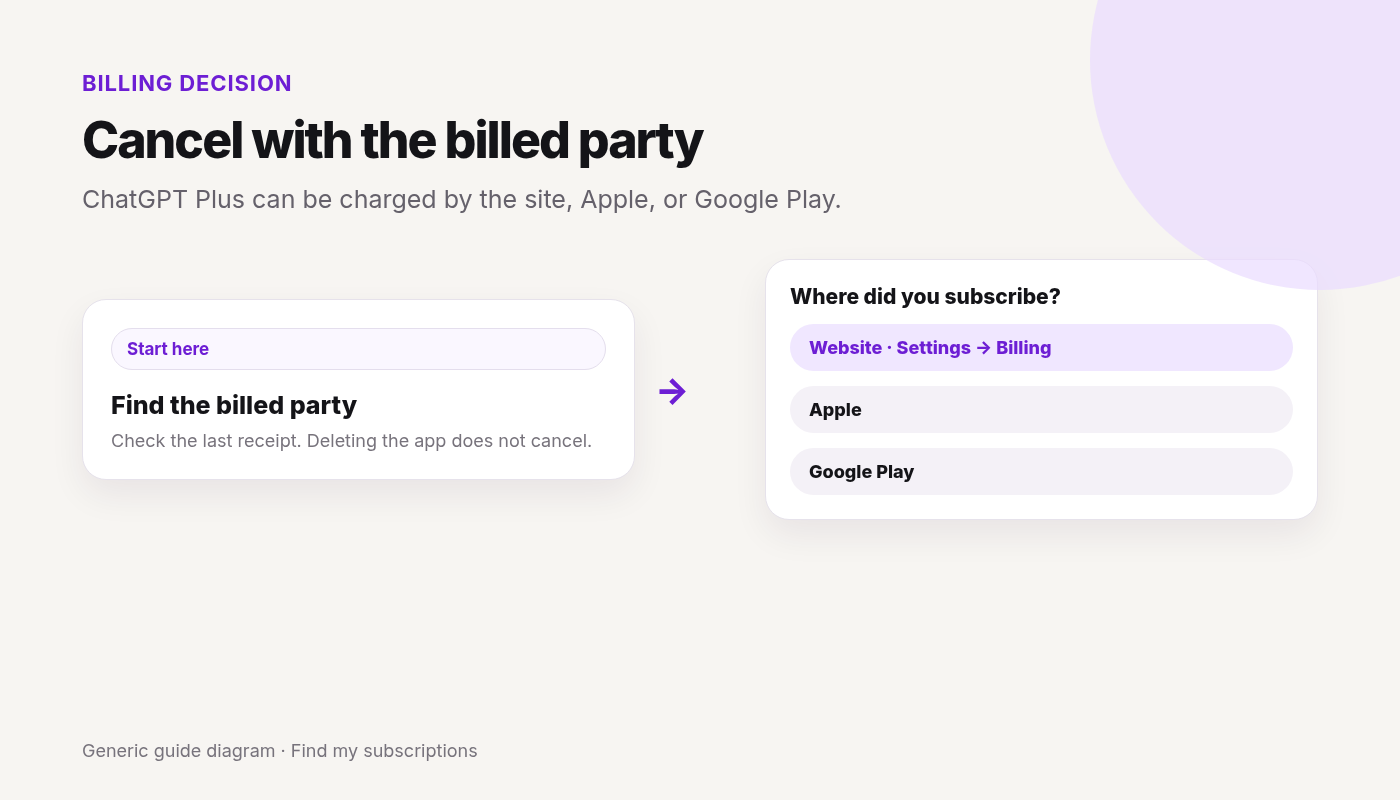
OpenAI’s help page says to cancel through the platform where you purchased it.
| If you subscribed… | Cancel here |
|---|---|
| On chatgpt.com | Your ChatGPT account → Settings → Billing |
| Through the Apple App Store | Apple Subscriptions |
| Through Google Play | Google Play subscriptions, on the Google account that paid |
| Self-service ChatGPT Business | Workspace settings → Billing |
If Cancel is missing inside ChatGPT, you are often in the wrong billed party. Match the statement first. The same pattern is on who’s billing you.
Stopped the Plus charge?
A second plan can still sit on Apple or Google Play.
Continue with Google · Free discovery · No bank login · Works on mobile
Web (bought on chatgpt.com)
- Sign in to ChatGPT.
- Open your account menu and select Settings.
- Select Billing.
- Under Cancel plan, select Cancel.
A subscription purchased on chatgpt.com does not appear in Apple or Google Play subscriptions.
Apple App Store
Apple manages this subscription. On an iPhone or iPad:
- Open Settings.
- Select your name.
- Select Subscriptions.
- Select ChatGPT.
- Select Cancel Subscription and confirm.
If Cancel Subscription is not there and an expiration date is shown, it may already be canceled. Deleting your ChatGPT account does not cancel an App Store subscription. Cancel through Apple first. More on the store path: Cancel subscriptions on iPhone.
Google Play
Sign in to the Google account that bought ChatGPT. If it isn’t listed, check each Google account on the device.
In the Play Store app:
- Open the Google Play Store.
- Open Subscriptions.
- Select ChatGPT.
- Select Cancel subscription and confirm.
On the web: open Google Play subscriptions, choose Manage next to ChatGPT, then Cancel subscription. If asked, pick a reason and continue. Store path: Cancel subscriptions on Google Play.
ChatGPT Business (self-service only)
- Sign in to ChatGPT.
- Account menu → Workspace settings.
- Billing → Manage plan → Cancel subscription.
If you can’t open workspace billing, ask the workspace owner. Enterprise and Edu are outside this page.
What cancel does, and what it doesn’t
- Cancel at least 24 hours before the next billing date, or the next period may already be charged.
- After a normal cancel, paid features stay until the end of the current billing period.
- Canceling stops future renewals. It does not automatically refund earlier charges.
- If a refund is granted, access covered by that charge can end sooner. Web and Google Play refund requests go through OpenAI Support while you’re signed into the ChatGPT account on the charge. Apple refunds go to Apple. OpenAI’s cancel article names a separate refund help page for eligibility. Don’t treat cancel itself as a refund.
- Uninstalling the app does not cancel. Deleting the ChatGPT account cancels plans billed by ChatGPT. It does not cancel an Apple App Store subscription. If you subscribed through Apple or Google Play, cancel in that store before you delete the account. Delete ≠ cancel.
If you can’t sign in
If ChatGPT bills you and you can no longer use the account email, OpenAI Support can help cancel. Their help page says to include the account email, the payment card’s last four digits, and the latest subscription payment date. Don’t send the full card number.
If Apple or Google Play bills you and you can’t open that store account, use Apple or Google account recovery. ChatGPT can’t cancel a store subscription you bought there.
Two charges
OpenAI says to check whether you have subscriptions under different ChatGPT, Apple, or Google accounts. Cancel each one on the platform that billed it. You don’t need a separate plan per device if you sign in to the same ChatGPT account.
If a charge hits after you canceled, check the confirmation and the next billing date. A cancel inside the last 24 hours can still let that charge through. Also check a second account or store.
FAQ
Where do I cancel ChatGPT Plus?
On the platform that billed you: chatgpt.com (Settings → Billing → Cancel plan), Apple Subscriptions, or Google Play subscriptions.
Does deleting the ChatGPT app cancel Plus?
No. Uninstalling does not cancel. Cancel on the web, Apple, or Google Play, matching the purchase.
Does deleting my ChatGPT account cancel the subscription?
It cancels a plan billed by ChatGPT. It does not cancel an Apple App Store subscription. Cancel store plans in the store before you delete the account.
How soon do I have to cancel?
At least 24 hours before the next billing date, or you may be charged for the next period. Paid features usually last until the end of the period you already paid.
Will I get a refund?
Not automatically. Apple refunds are requested from Apple. Web and Google Play refund requests go through OpenAI Support. Eligibility depends on the purchase and location.
Why don’t I see the plan in Settings?
You may be signed into a different ChatGPT account, or the plan was bought in Apple or Google Play. Check the receipt, then that store. A web plan will not be in the store list.