How to Cancel Adobe Creative Cloud (2026 Guide)
This guide covers how to cancel Adobe Creative Cloud in the United States. Steps and fees can vary by account, club, and agreement — treat official help pages and your contract as the source of truth.
Last checked 2026-10-28.
Quick answer
- Check who bills you: Adobe, or a store such as Apple, Google, or Microsoft. Store-billed plans are canceled in that store.
- If Adobe bills you, sign in at account.adobe.com. Go to Plans and payment → Manage plan → Cancel your plan, then work through the screens to Confirm cancellation.
- Within 14 days of your first purchase, most plans get a full refund.
- On an annual plan, paid monthly, canceling after 14 days costs 50% of the remaining balance of the contract.
- Paid apps keep working until the end of your current billing period. Check your email for Adobe’s confirmation.
Canceling one service?
See what else is still charging this Google account — free discovery, no bank login.
Continue with Google · No bank login
Step-by-step: Cancel on the Adobe website (Adobe-billed)
From Adobe Help (Cancel your Adobe trial or subscription):
- Sign in to your Adobe account.
- In Plans and payment, select Manage plan for the plan you want to cancel.
- Select Cancel your plan.
- Check your plan details, then select Continue.
- Choose a reason for canceling, then select Continue.
- Review the cancellation details, then select Confirm cancellation.
- Look for Adobe’s confirmation email, or check account.adobe.com/plans.
Notes from Adobe Help:
- You can’t cancel while a payment is processing or has a problem. Wait 24 hours and try again.
- If you have more than one plan, cancel each one separately. Canceling one doesn’t cancel the others.
- Changed your mind? You can reactivate from your Adobe account before the billing period ends.
Done canceling Adobe Creative Cloud? Other subscriptions may still renew on this email.
Find my subscriptions — Continue with Google · Free discovery · No bank login · Works on mobile
Platform-specific paths (Apple / Google Play / Microsoft)
Adobe Help: if you bought through a third-party provider such as Apple, Google, or Microsoft, follow that provider’s cancellation process.
Apple App Store / iPhone
- iPhone/iPad: Settings → [Your Name] → Subscriptions.
- Select the Adobe / Creative Cloud subscription → Cancel Subscription.
- Confirm and keep Apple’s confirmation. Canceling only inside the Creative Cloud app may not stop Apple billing.
Google Play / Android
- On your Android device, open Subscriptions in Google Play.
- Select Adobe / Creative Cloud → Cancel subscription.
- Uninstalling the app does not cancel Play billing.
Microsoft / other partners
If Microsoft Store or another partner bills you, cancel on that store’s subscription page. Then check that your Adobe account no longer shows an active plan billed by that partner.
Adobe Creative Cloud cancellation fee
Adobe’s US subscription terms say the fee depends on your plan type. Your plan card on account.adobe.com shows which one you have.
- Annual plan, paid monthly: a full refund within 14 days of your first purchase on most plans. After 14 days, there’s an early termination fee of 50% of the remaining balance of the contract.
- Annual plan, prepaid: within the first 14 days, there’s no fee and you get a full refund. After 14 days, no refund is available, and your service continues until the end of your contracted term.
- Month-to-month: a full refund within 14 days of your first purchase on most plans. After 14 days, no refund is available. Your paid apps keep working until the end of the current billing period.
Worked example: 50% early termination fee
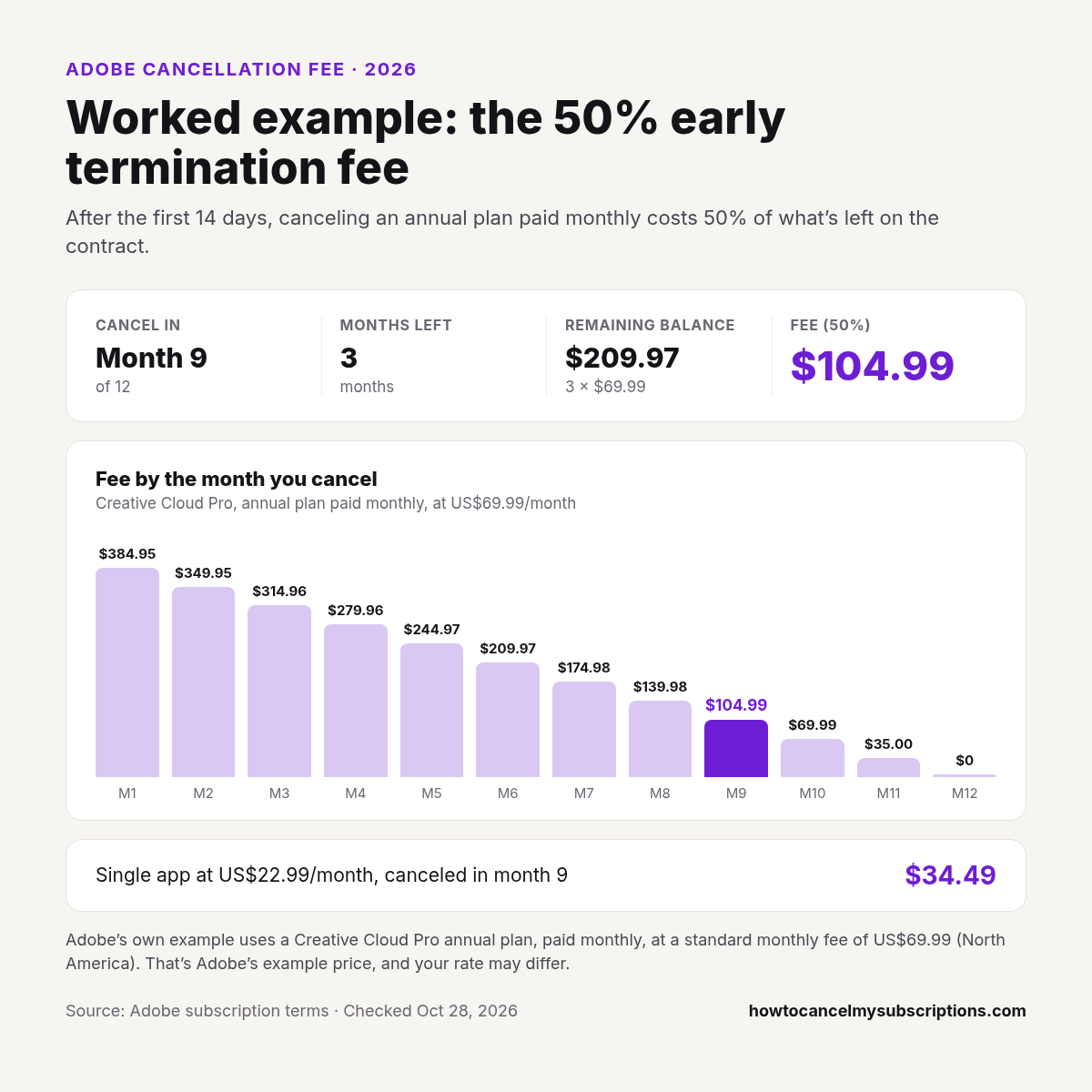
Adobe’s own example uses a Creative Cloud Pro annual plan, paid monthly, at a standard monthly fee of US$69.99 (North America). That’s Adobe’s example price, and your rate may differ.
- Cancel in: month 9 of 12
- Months left: 3
- Remaining balance: 3 × $69.99 = $209.97
- Fee (50%): $104.99
The fee for each month, from Adobe’s fee table for that plan:
| Cancel in | Fee (50%) |
|---|---|
| Month 1 | $384.95 |
| Month 2 | $349.95 |
| Month 3 | $314.96 |
| Month 4 | $279.96 |
| Month 5 | $244.97 |
| Month 6 | $209.97 |
| Month 7 | $174.98 |
| Month 8 | $139.98 |
| Month 9 | $104.99 |
| Month 10 | $69.99 |
| Month 11 | $35.00 |
| Month 12 | $0 |
For a single app plan at Adobe’s example price of US$22.99 a month, canceling in month 9 costs $34.49.
Adobe shows the exact fee for your plan on the review screen before Confirm cancellation. Teams, enterprise, and school plans can have different terms.
Cancel within 14 days for a full refund
Adobe Help says that for most plans, you get a full refund if you cancel within 14 days of your initial purchase. Cancel the usual way: Manage plan → Cancel your plan. On the review screen, check the refund line before you select Confirm cancellation.
This window starts from your initial purchase, not from each monthly renewal.
Switch plans instead of canceling
If you’re canceling to get a cheaper or different plan, Adobe lets you switch instead (Change your Adobe plan). Plans bought through a mobile app store are changed in that store.
- Sign in to your Adobe account.
- In Plans and payment, select Manage plan → Change your plan.
- Find the plan you want → Select plan. You can tick Compare to see both side by side.
- Pick your billing commitment from the dropdown, if offered.
- Review the details, then select Agree and subscribe.
What Adobe says happens:
- Your old plan is canceled, and you may get a refund for unused time, depending on the plan type.
- The new plan starts right away, and you’re charged for it right away.
- Your billing date moves to the day you switched. Annual plans renew one year from that day.
- Adobe says changing your plan is irreversible.
Charged after canceling
- Adobe says a charge after canceling is usually the final charge for your current billing period.
- Is Apple, Google, or Microsoft still billing you because you only canceled on account.adobe.com, or the reverse?
- Is a second Adobe plan still active? Each plan must be canceled separately.
- Did you finish with Confirm cancellation?
- Did an early termination fee post on an annual plan, paid monthly?
- Contact Adobe, or the store that billed you, with your confirmation. Then re-check Plans and payment.
What happens after you cancel
From Account access after plan cancellation:
- Paid apps and services end when your current billing period finishes. Your Adobe account stays active with free membership benefits.
- Cloud storage drops to 5 GB. If you’re over the limit, you have 30 days to cut down. After that, you could lose access to some or all of your cloud files.
- Files saved on your computer stay on your computer. Files in free cloud storage may be deleted after a period of inactivity, and Adobe emails you first.
- Lightroom: Adobe keeps your original images for one year after your membership lapses, so you can download them.
- Generative credits from your subscription expire when you cancel.
- You can reactivate from your Adobe account before the billing period ends.
One cancel done. What else are you paying for?
After you finish this guide, see what other subscriptions may still be renewing.
Continue with Google · No bank login
FAQ
How do I cancel Adobe Creative Cloud?
Sign in at account.adobe.com → Plans and payment → Manage plan → Cancel your plan. Then select Continue, choose a reason, select Continue again, and finish with Confirm cancellation. If Apple, Google, or Microsoft bills you, cancel in that store instead.
Is there an Adobe Creative Cloud cancellation fee?
On a US annual plan, paid monthly, yes: after the first 14 days, Adobe charges 50% of the remaining contract balance. Annual prepaid and month-to-month plans don’t charge that fee, but neither gets a refund after 14 days.
How much is the Adobe cancellation fee?
It’s half of what’s left on your annual contract. In Adobe’s example, a Creative Cloud Pro plan at US$69.99 a month canceled in month 9 has 3 months left ($209.97), so the fee is $104.99. Your fee shows on the review screen before you confirm.
Can I cancel Creative Cloud within 14 days for a full refund?
Adobe says most plans get a full refund if you cancel within 14 days of your initial purchase.
Can I switch to a cheaper Adobe plan instead of canceling?
Yes. Go to Manage plan → Change your plan → Select plan → Agree and subscribe. The new plan starts right away, your old plan is canceled, and you may get a refund for unused time, depending on the plan type.
Will I keep access until the period ends?
Yes. Adobe says access to paid apps and services continues until the end of your current billing period.
What happens to my files after I cancel Creative Cloud?
Cloud storage drops to 5 GB. If you’re over, you have 30 days to reduce what’s stored. Files on your computer stay there.
Can I undo an Adobe cancellation?
Yes, if you’re still within the billing period. Reactivate from your Adobe account, and your apps, services, and storage come back.
How do I cancel Adobe Creative Cloud on iPhone?
If Apple bills you, cancel in your Apple subscriptions. If Adobe bills you, use account.adobe.com in Safari or on a computer.
Why was I charged after canceling Adobe Creative Cloud?
Adobe says it’s usually the final charge for your current billing period. Also check for an early termination fee, a second plan, or a store that still bills you.
How do I know cancellation worked?
You’ll get Adobe’s confirmation email, and the plan’s status will show on account.adobe.com/plans.
Does uninstalling Photoshop cancel Creative Cloud?
No. Cancel the subscription with Adobe or the store that bills you.
Related cancels
- Cancel guides hub: /cancel/
- How to Cancel Spotify Premium
- How to Cancel Netflix
- How to Cancel Canva Pro
- How to Cancel Grammarly
Not legal advice. Steps and fees change — verify on Cancel Adobe subscription and subscription terms.