• How to Cancel Claude Pro or Max (2026)

    How to Cancel Claude Pro or Max (2026)

    This covers Claude Pro and Max bought on claude.ai, Claude Desktop, Claude for iOS, or Claude for Android. It does not cover Team or Enterprise. Cancel on the platform you signed up on.

    Last checked 2026-10-28.

    Quick answer

    1. See where you started the plan: claude.ai / Desktop, iOS, or Android.
    2. Web or Desktop: initials or name (lower left) → Settings → Billing → Cancel.
    3. iOS: initials (top right) → Billing → Manage subscription, then follow Apple’s prompts. If the app is gone, cancel in Apple Subscriptions.
    4. Android: initials (top right) → Billing → Manage subscription, then follow Google Play’s prompts. If the app is gone, cancel in Google Play subscriptions.
    5. Cancel at least 24 hours before the next billing date. The paid plan stays until the end of the period you already paid. Removing the app is not cancel.

    Canceled Claude and still not sure what else renews?

    See what else is still charging this Google account. Free discovery, no bank login.

    Continue with Google · No bank login

    Claude Pro vs Max: same cancel steps

    Pro and Max are both individual plans, and you cancel them the same way (Cancel your Pro or Max subscription).

    • Pro: $20 per month in the US, or a discounted annual plan billed once a year (What is the Pro plan?).
    • Max: monthly only. Max 5x is $100 per month and Max 20x is $200 per month on the web. App store prices may differ (What is the Max plan?).
    • Max monthly API credits: they can’t be refunded. If you cancel, new monthly credits stop, and credits you already have stay usable until they expire.

    Prices are Anthropic’s published web prices as of 2026-10-28. Check your app store for the price you pay there.

    Cancel on the platform you signed up on

    Anthropic bills a web or Desktop plan itself. An iOS plan is billed by Apple. An Android plan is billed by Google Play. The cancel button in the wrong place will be missing.
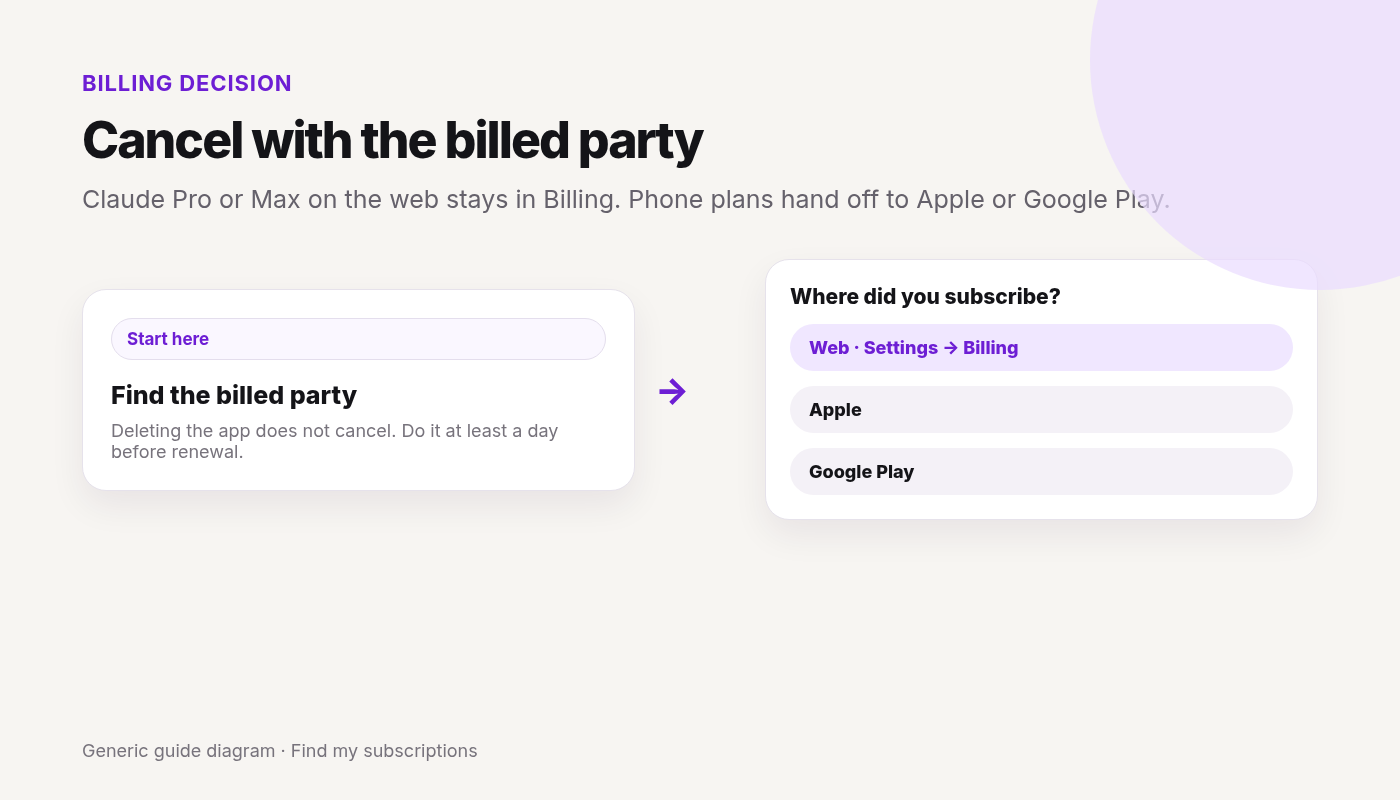
    Decision fork for Claude Pro or Max billed on the web, Apple, or Google Play
    Cancel in Billing on the web, or with Apple or Google Play if the phone plan handed you there.
    • Signed up on claude.ai or Claude Desktop: Anthropic bills you. Cancel in Settings → Billing → Cancel.
    • Signed up in Claude for iOS: Apple bills you. Cancel in the app’s Billing → Manage subscription, or in Apple Subscriptions.
    • Signed up in Claude for Android: Google Play bills you. Cancel in the app’s Billing → Manage subscription, or in Google Play subscriptions.

    Same idea as who’s billing you and the ChatGPT fork: match the store, then cancel there.

    Stopped the Claude charge?

    A store plan can still renew even after you leave the app.

    Continue with Google · Free discovery · No bank login · Works on mobile

    Web and Claude Desktop

    If you signed up on claude.ai or Claude Desktop (Mac, Windows, or Linux):

    1. Log in on the web, or open the desktop app.
    2. Click your initials or name in the lower left.
    3. Select Settings.
    4. Open Billing.
    5. Click Cancel.

    Claude for iOS

    Apple handles the payment.

    1. Open Claude for iOS.
    2. Tap your initials in the top right.
    3. Tap Billing.
    4. Tap Manage subscription and follow the prompts.

    If you already removed the app, cancel in Apple Subscriptions: Settings → your name → Subscriptions → Claude → Cancel Subscription. Store path: Cancel subscriptions on iPhone.

    Claude for Android

    Google Play handles the payment.

    1. Open Claude for Android.
    2. Tap your initials in the top right.
    3. Tap Billing.
    4. Tap Manage subscription and follow the prompts.

    If you already removed the app, cancel in Google Play subscriptions. Store path: Cancel subscriptions on Google Play.

    Access after canceling: what cancel does and doesn’t

    • Cancel takes effect at the end of the current billing period. You can keep using the paid plan until then.
    • Cancel at least 24 hours before the next billing date, or you can still be charged for the next period.
    • Max monthly API credits: new credits stop after you cancel, and credits you already have stay usable until they expire.
    • Removing the app does not cancel an iOS or Android plan. Use the store if the app is gone.
    • Deleting the Claude account is not the cancel step. Anthropic’s delete article says to cancel from Billing first, wait until the subscription period ends, then delete. Delete your Claude account. Delete ≠ cancel.
    • Cancel is not a refund. Refunds are a separate request (see below).

    Refunds: Anthropic, Apple, or Google Play

    From Request a refund for a paid Claude plan:

    • Rule: except as stated in Anthropic’s Consumer Terms or where the law requires, all payments are non-refundable.
    • Paid on the web or Desktop: click your initials or name (lower left) → Get help → Send us a message → Accept → Claude Refund Request. Pick a reason and follow the eligibility prompts. If you’re eligible, the support chat cancels and refunds your plan.
    • EEA and UK: you may get a refund within 14 days of purchase, prorated by your use. The option may show in Settings.
    • Paid on iPhone (Apple): only Apple can refund. Go to reportaproblem.apple.com → I’d like to → Request a refund. An Apple refund request doesn’t cancel the subscription, so cancel too.
    • Paid on Android (Google Play): contact Claude Support. For an inactive subscription, include your Google Play email or GPA order number.
    • Bank dispute open? Anthropic can’t process a refund while the dispute is pending.

    If you can’t sign in

    If you lost the email on a paid plan and can’t log in, Claude’s email-change article says to contact Support from an address you can open, and copy the old email, confirming you want that subscription canceled. Don’t send a full card number.

    FAQ

    How do I cancel my Claude Pro subscription?

    If you signed up on claude.ai or Claude Desktop, click your initials or name (lower left) → Settings → Billing → Cancel. If you signed up in the iOS or Android app, tap your initials (top right) → Billing → Manage subscription and follow Apple’s or Google Play’s prompts.

    How do I cancel Claude Max?

    The same way as Pro. Cancel on the platform you signed up on: Settings → Billing → Cancel on the web or Desktop, or Billing → Manage subscription in the iOS or Android app.

    Can I cancel my Claude plan on iPhone?

    Yes, if you subscribed in Claude for iOS. Tap your initials → Billing → Manage subscription. If you already removed the app, cancel in your Apple subscriptions. A plan bought on claude.ai is canceled in Settings → Billing, not through Apple.

    Do I keep Claude Pro after I cancel?

    Yes. Anthropic says your cancellation takes effect at the end of your current billing period, and you can keep using your paid plan until then.

    Can I get a refund for Claude Pro or Max?

    Anthropic says payments are non-refundable except as stated in its Consumer Terms or where required by law. To ask, use Get help → Send us a message → Claude Refund Request. In the EEA and UK, you may get a refund within 14 days of purchase, prorated by use. Apple purchases are refunded only by Apple.

    What happens to Max monthly API credits when I cancel?

    New monthly credits stop. Credits you already have stay usable until they expire, and they can’t be refunded.

    Where do I cancel Claude Pro or Max?

    On the platform you signed up on. Web or Desktop: Settings → Billing → Cancel. iOS or Android: Billing → Manage subscription, which hands you to Apple or Google Play.

    Does deleting the Claude app cancel Pro?

    No. If you subscribed in the iOS or Android app, cancel in that store. Anthropic’s help page points to Apple’s and Google Play’s subscription steps when the app is already gone.

    Does deleting my Claude account cancel the plan?

    Cancel in Billing first. Anthropic says to wait until the paid period ends, then delete the account.

    How soon do I have to cancel?

    At least 24 hours before the next billing date. Access usually lasts through the period you already paid.

    Will I get a refund when I cancel?

    Not from the cancel button. Canceling stops the next renewal. A refund is a separate request through Get help → Claude Refund Request, or through Apple if you paid on iPhone.

    What about Team or Enterprise?

    This page is Pro and Max only. An organization plan is canceled by whoever manages that workspace’s billing, not by the personal Settings path above.
    Sources

  • How to Cancel ChatGPT Plus (2026)

    How to Cancel ChatGPT Plus (2026)

    Checked 2026-10-03. Official source: Canceling your ChatGPT subscription (OpenAI Help, updated the same day). This covers personal ChatGPT plans bought on the web, the Apple App Store, or Google Play, plus a short note on self-service ChatGPT Business. It does not cover ChatGPT Enterprise or Edu. Labels can change — cancel in the account that matches the charge.

    Quick answer

    1. Read the receipt or statement and see who billed you: ChatGPT / OpenAI, Apple, or Google Play.
    2. Cancel on that platform. A plan bought on chatgpt.com does not show up in Apple or Google subscriptions, and the other way around.
    3. On the web: ChatGPT → account menu → Settings → Billing → Cancel plan → Cancel.
    4. On Apple: Settings → your name → Subscriptions → ChatGPT → Cancel Subscription.
    5. On Google Play: Play Store → Subscriptions → ChatGPT → Cancel subscription. Use the Google account that paid.
    6. Cancel at least 24 hours before the next billing date. Uninstalling the app does not cancel. Deleting the ChatGPT account does not cancel an Apple (or other store) subscription.

    Canceled Plus and still not sure what else renews?

    See what else is still charging this Google account. Free discovery, no bank login.

    Continue with Google · No bank login

    Cancel where the charge came from

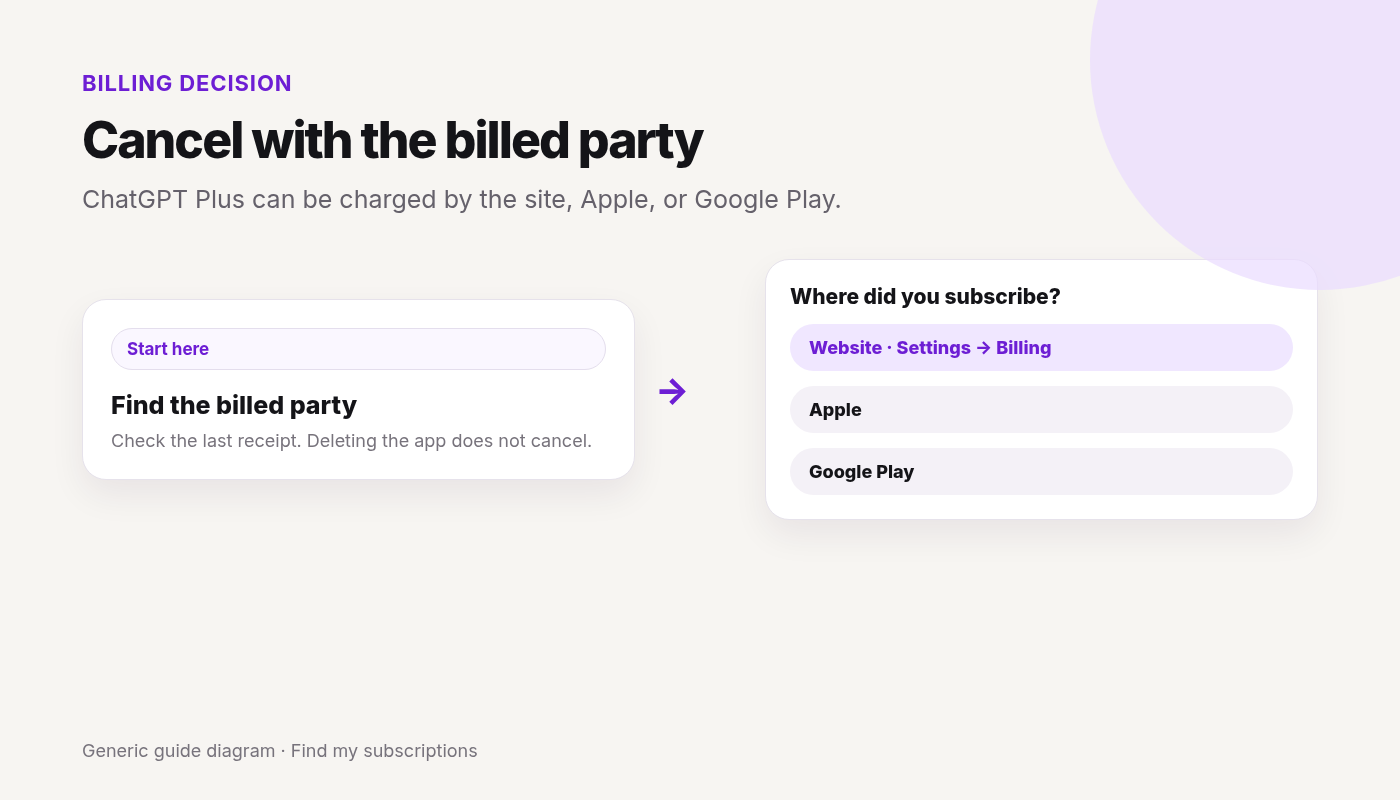
    Decision fork for ChatGPT Plus billed on the website, Apple, or Google Play
    Cancel with the party on the receipt. Deleting the app does not cancel.

    OpenAI’s help page says to cancel through the platform where you purchased it.

    If you subscribed…Cancel here
    On chatgpt.comYour ChatGPT account → Settings → Billing
    Through the Apple App StoreApple Subscriptions
    Through Google PlayGoogle Play subscriptions, on the Google account that paid
    Self-service ChatGPT BusinessWorkspace settings → Billing

    If Cancel is missing inside ChatGPT, you are often in the wrong billed party. Match the statement first. The same pattern is on who’s billing you.

    Stopped the Plus charge?

    A second plan can still sit on Apple or Google Play.

    Continue with Google · Free discovery · No bank login · Works on mobile

    Web (bought on chatgpt.com)

    1. Sign in to ChatGPT.
    2. Open your account menu and select Settings.
    3. Select Billing.
    4. Under Cancel plan, select Cancel.

    A subscription purchased on chatgpt.com does not appear in Apple or Google Play subscriptions.

    Apple App Store

    Apple manages this subscription. On an iPhone or iPad:

    1. Open Settings.
    2. Select your name.
    3. Select Subscriptions.
    4. Select ChatGPT.
    5. Select Cancel Subscription and confirm.

    If Cancel Subscription is not there and an expiration date is shown, it may already be canceled. Deleting your ChatGPT account does not cancel an App Store subscription. Cancel through Apple first. More on the store path: Cancel subscriptions on iPhone.

    Google Play

    Sign in to the Google account that bought ChatGPT. If it isn’t listed, check each Google account on the device.

    In the Play Store app:

    1. Open the Google Play Store.
    2. Open Subscriptions.
    3. Select ChatGPT.
    4. Select Cancel subscription and confirm.

    On the web: open Google Play subscriptions, choose Manage next to ChatGPT, then Cancel subscription. If asked, pick a reason and continue. Store path: Cancel subscriptions on Google Play.

    ChatGPT Business (self-service only)

    1. Sign in to ChatGPT.
    2. Account menu → Workspace settings.
    3. Billing → Manage plan → Cancel subscription.

    If you can’t open workspace billing, ask the workspace owner. Enterprise and Edu are outside this page.

    What cancel does, and what it doesn’t

    • Cancel at least 24 hours before the next billing date, or the next period may already be charged.
    • After a normal cancel, paid features stay until the end of the current billing period.
    • Canceling stops future renewals. It does not automatically refund earlier charges.
    • If a refund is granted, access covered by that charge can end sooner. Web and Google Play refund requests go through OpenAI Support while you’re signed into the ChatGPT account on the charge. Apple refunds go to Apple. OpenAI’s cancel article names a separate refund help page for eligibility. Don’t treat cancel itself as a refund.
    • Uninstalling the app does not cancel. Deleting the ChatGPT account cancels plans billed by ChatGPT. It does not cancel an Apple App Store subscription. If you subscribed through Apple or Google Play, cancel in that store before you delete the account. Delete ≠ cancel.

    If you can’t sign in

    If ChatGPT bills you and you can no longer use the account email, OpenAI Support can help cancel. Their help page says to include the account email, the payment card’s last four digits, and the latest subscription payment date. Don’t send the full card number.

    If Apple or Google Play bills you and you can’t open that store account, use Apple or Google account recovery. ChatGPT can’t cancel a store subscription you bought there.

    Two charges

    OpenAI says to check whether you have subscriptions under different ChatGPT, Apple, or Google accounts. Cancel each one on the platform that billed it. You don’t need a separate plan per device if you sign in to the same ChatGPT account.

    If a charge hits after you canceled, check the confirmation and the next billing date. A cancel inside the last 24 hours can still let that charge through. Also check a second account or store.

    FAQ

    Where do I cancel ChatGPT Plus?

    On the platform that billed you: chatgpt.com (Settings → Billing → Cancel plan), Apple Subscriptions, or Google Play subscriptions.

    Does deleting the ChatGPT app cancel Plus?

    No. Uninstalling does not cancel. Cancel on the web, Apple, or Google Play, matching the purchase.

    Does deleting my ChatGPT account cancel the subscription?

    It cancels a plan billed by ChatGPT. It does not cancel an Apple App Store subscription. Cancel store plans in the store before you delete the account.

    How soon do I have to cancel?

    At least 24 hours before the next billing date, or you may be charged for the next period. Paid features usually last until the end of the period you already paid.

    Will I get a refund?

    Not automatically. Apple refunds are requested from Apple. Web and Google Play refund requests go through OpenAI Support. Eligibility depends on the purchase and location.

    Why don’t I see the plan in Settings?

    You may be signed into a different ChatGPT account, or the plan was bought in Apple or Google Play. Check the receipt, then that store. A web plan will not be in the store list.

    Sources

  • How to Cancel or Pause HelloFresh (2026 Guide)

    How to Cancel or Pause HelloFresh (2026 Guide)

    To stop HelloFresh, log in → click your name → Account Settings → Plan settings → Status → Cancel Plan, and finish every prompt. To pause instead, open My Menu and choose Skip Week. Either way, do it by 11:59 pm PST, 5 days before your next scheduled delivery.

    Quick answer

    1. Log into HelloFresh.
    2. Click your name → Account Settings.
    3. On Plan settings, under Status, click Cancel Plan and finish every prompt until cancelled confirmation.
    4. Do this by 11:59 pm PST, 5 days before your next scheduled delivery — after cutoff, that box may still charge.
    5. Only need a break? My Menu → Skip Week instead of canceling.

    Canceling one service?

    See what else is still charging this Google account — free discovery, no bank login.

    Continue with Google · No bank login

    Cancel in account

    From HelloFresh’s official cancel page:

    1. Log into your account.
    2. Click your name (upper right) → Account Settings.
    3. Scroll on Plan settings → Status → Cancel Plan.
    4. Follow the prompt(s) until you see confirmation that the account has been cancelled.
    5. Keep the confirmation email / screenshot.

    Retention screens are common — continue until cancel is confirmed (don’t stop on pause-only offers unless you want pause).

    Done canceling HelloFresh? Other subscriptions may still renew on this email.

    Find my subscriptions — Continue with Google · Free discovery · No bank login · Works on mobile

    Pause vs cancel

    Pause / skip (short break)

    1. Log in → My Menu.
    2. Select the delivery day/week(s) to skip → Skip Week.
    3. Skipping is not the same as Cancel Plan — deliveries resume unless you keep skipping or cancel.

    Cancel

    Use Cancel Plan under Plan settings Status when you want the subscription stopped.

    Cutoff / next box

    • Official: pause/cancel by 11:59 pm PST 5 days prior to the next scheduled delivery so suppliers can be alerted.
    • After cutoff: HelloFresh says they unfortunately cannot process that cancel for the already-processed order — you’re responsible for charges for processed orders.
    • Check your account calendar for the exact next delivery and cutoff shown to you.

    Fees, contracts, and money at risk

    • Money risk = missing cutoff / unfinished cancel flow / confusing skip with cancel.
    • finish Cancel Plan past retention and verify no future boxes.

    Charged after canceling

    1. Canceled after cutoff (box already processing)?
    2. Only skipped a week?
    3. Cancel prompts not finished?
    4. Second subscription / gift / add-on market order?
    5. See Charged after canceling.

    Retention offers

    HelloFresh may push pause, discounts, or “stay” offers. You’re allowed to decline and finish Cancel Plan.

    What you lose / what happens next

    • Weekly boxes stop after a successful cancel (subject to cutoff).
    • You can reactivate later per HelloFresh — pricing/offers may differ.
    • Keep confirmation until the next statement/delivery week is clean.

    One cancel done. What else are you paying for?

    After you finish this guide, see what other subscriptions may still be renewing.

    Continue with Google · No bank login

    FAQ

    How do I cancel HelloFresh online?

    Log in → click your name → Account Settings → Plan settings → Status → Cancel Plan → follow prompts until you see account cancelled confirmation. Cancel by 11:59 pm PST 5 days before the next delivery.

    What is the HelloFresh cancel cutoff?

    Official HelloFresh page: pause/cancel by 11:59 pm PST 5 days prior to your next scheduled delivery. After cutoff, that box may still process and you’ll be responsible for those charges.

    Should I pause or cancel HelloFresh?

    Pause/skip: My Menu → select week(s) → Skip Week for a short break. Cancel Plan: stop the subscription. Don’t mistake a skip for a full cancel.

    Can I cancel HelloFresh in the app?

    Official how-to lists Account Settings on the website. If the app can’t complete cancel, use web Account Settings or HelloFresh chat/support. Labels may vary — verify on official Help.

    Is there a HelloFresh cancellation fee?

    HelloFresh’s cancel page does not publish a separate cancel ETF dollar amount we can claim — you remain responsible for already processed orders after cutoff. Verify on your account/Terms.

    Why was I charged after canceling HelloFresh?

    Often cancel after cutoff (next box already processed), skip mistaken for cancel, or cancel flow not finished past retention prompts.

    How do I know HelloFresh cancellation worked?

    On-screen cancelled confirmation + confirmation email + no future deliveries scheduled past cutoff.

    Related cancels

    Not legal advice. Steps change — verify on official site.

  • How to Cancel WeightWatchers (2026 Guide)

    This guide covers how to cancel WeightWatchers in the United States. Steps and fees can vary by account, club, and agreement — treat official help pages and your contract as the source of truth.

    Quick answer

    1. Confirm who bills you (WeightWatchers/WW vs Apple vs Google Play).
    2. Open weightwatchers.com/us/cancellation, sign in, and complete cancel or switch (or use in-app Help).
    3. Or contact 24/7 chat / call 1-800-651-6000 (US Help).
    4. Note when cancel takes effect — Commitment / pre-pay / monthly rules differ (below).
    5. Store-billed: cancel in Apple/Google. Deleting the app does not cancel.

    Canceling one service?

    See what else is still charging this Google account — free discovery, no bank login.

    Continue with Google · No bank login

    Quick cancel — Account / app (WW-billed)

    From WeightWatchers cancellation / billing Help (2026-09-29):

    1. Go to Manage Your WW Membership (or account Help → cancel path inside the WW app / site after sign-in).
    2. Complete the on-screen cancel or switch flow. Labels may vary — follow WW’s live UI; if stuck, use 24/7 chat.
    3. Billing Help also lists cancel online on weightwatchers.com as the fastest path and phone 1-800-651-6000.
    4. Save confirmation email/chat transcript; re-check membership status.

    Done canceling WeightWatchers? Other subscriptions may still renew on this email.

    Find my subscriptions — Continue with Google · Free discovery · No bank login · Works on mobile

    Store billing

    Apple / iPhone

    If Apple bills WW: Settings → [Your Name] → Subscriptions → WeightWatchers / WW → Cancel Subscription.

    Google Play / Android

    Play → Subscriptions → WW / WeightWatchers → Cancel subscription. Uninstall ≠ cancel.

    Commitment / fees (official only)

    From WW’s cancellation page:

    • Multi-month Commitment Plans: cancellation takes effect at the end of the Commitment Plan period. After that period, cancel takes effect at the end of the membership month in which you cancel.
    • Pre-pay Savings Plans: end of the initial plan period, then end of the membership month after.
    • Standard one-month plans: end of the membership month in which you cancel.
    • Refunds: see WW’s linked Refund Policy on the cancellation page.
    • Membership Agreements may include early cooling-off language by state — verify on your contract / membership terms.
    • commitment end date ≠ “cancel tomorrow and stop all charges immediately” unless your plan says so.

    Charged after canceling

    1. Still inside Commitment / pre-pay period?
    2. Membership month already billed?
    3. Apple/Google still on?
    4. Workshops + Digital vs Digital-only confusion / dual products?
    5. See Charged after canceling.

    Retention offers

    WW may offer coaching, plan switches, or prompts to stay. You’re allowed to decline and finish cancel.

    What you lose / what happens next

    • App / workshop access ends per your plan’s effective cancel date.
    • Rejoin pricing may differ.
    • Keep confirmation until statements are clean.

    One cancel done. What else are you paying for?

    After you finish this guide, see what other subscriptions may still be renewing.

    Continue with Google · No bank login

    FAQ

    How do I cancel WeightWatchers / WW online?

    Use WeightWatchers’ cancel/manage page at weightwatchers.com/us/cancellation (sign in) or follow in-product Help / 24/7 chat. Phone: 1-800-651-6000. Save confirmation.

    When does WW cancellation take effect?

    Per WW cancellation page: multi-month Commitment Plans take effect at end of the Commitment period (then end of membership month after). Pre-pay Savings Plans: end of initial plan period, then end of membership month. Standard one-month: end of the membership month you cancel.

    Is there a WeightWatchers cancellation fee?

    Commitment and plan rules vary. WeightWatchers doesn’t publish a fixed cancellation fee. Check your Membership Agreement, WW Refund Policy, and confirmation. Early cooling-off rights may apply by jurisdiction — verify on official terms.

    How do I cancel WW if Apple or Google bills me?

    Cancel in Apple Settings → Subscriptions or Google Play Subscriptions if the store bills you. WW site cancel won’t stop store billing.

    Can I cancel WW by phone or chat?

    Yes. WW lists 24/7 chat and phone 1-800-651-6000 (US Help). Prefer written confirmation.

    Why was I charged after canceling WeightWatchers?

    Often commitment period still running, current membership month owed, or store billing still on.

    Does deleting the WW app cancel membership?

    No.

    Related cancels

    Not legal advice. Steps and plan rules change — verify on official Help and your Membership Agreement.

  • How to Cancel Paramount+ (2026 Guide)

    This guide covers how to cancel Paramount+ in the United States. Steps and fees can vary by account, club, and agreement — treat official help pages and your contract as the source of truth.

    Quick answer

    1. Confirm who bills you (Paramount+ vs Apple vs Google vs Amazon vs Roku vs cable/partner).
    2. If Paramount+ bills you (web, many smart TVs, Xbox/PlayStation signup): paramountplus.com → username → Account → Cancel subscription.
    3. If Apple / Google / Amazon / Roku / Prime Video Channels bill you, cancel on that platform.
    4. Can’t log in? Help Center chat (blue chat bubble) per official article.
    5. Deleting the app does not cancel.

    Canceling one service?

    See what else is still charging this Google account — free discovery, no bank login.

    Continue with Google · No bank login

    Cancel on Paramount+ account (Paramount+-billed)

    From Paramount+ Help:

    1. Visit paramountplus.com and click your username (upper right).
    2. Click Account.
    3. Scroll down and click Cancel subscription.
    4. Complete on-screen confirmation (retention prompts may appear — you’re allowed to decline).
    5. Save confirmation / note access end date if shown.

    Done canceling Paramount+? Other subscriptions may still renew on this email.

    Find my subscriptions — Continue with Google · Free discovery · No bank login · Works on mobile

    Store / partner billing

    Apple / iPhone or iPad

    Settings → [Your Name] → Subscriptions → Paramount+ → Cancel Subscription → Confirm.

    Apple TV

    Settings → Users & Accounts → [account] → Subscriptions → Paramount+ → Cancel Subscription.

    Google Play / Android / Android TV

    On phone or computer: g.co/play/subscriptions → Paramount+ → Cancel subscription. Uninstall on Android TV ≠ cancel.

    Fire TV / Amazon Appstore

    amazon.com/appstoresubscriptions → Paramount+ → Actions → Cancel your subscription.

    Roku

    Paramount+ channel → * on remote → Manage Subscription → Cancel Subscription.

    Prime Video Channels

    Account & Settings → Your subscriptions → Paramount+ → Unsubscribe.

    Cable / Xfinity / other partners

    If a provider bills Paramount+, cancel in that provider’s subscription tools (e.g. Xfinity Unsubscribe flow when Xfinity bills you).

    Fees, contracts, and money at risk

    • Access through current period: confirm on your cancel screen / Help (treat exact refund rules as verify on official Help unless shown on your confirmation).
    • cancel with the same platform you used to sign up.

    Charged after canceling

    1. Period already owed?
    2. Store/partner still active?
    3. Walmart+ / T-Mobile / other bundle still including Paramount+?
    4. Pause/offer mistaken for cancel?
    5. See Charged after canceling.

    Retention offers

    Paramount+ may ask why you’re leaving or show a discount. You’re allowed to decline and finish Cancel subscription.

    What you lose / what happens next

    • Streaming access ends when the paid period ends (confirm status).
    • Downloads/profiles follow Paramount+ rules; keep proof until statements are clean.
    • Rejoin pricing may differ.

    One cancel done. What else are you paying for?

    After you finish this guide, see what other subscriptions may still be renewing.

    Continue with Google · No bank login

    FAQ

    How do I cancel Paramount+ online?

    Visit paramountplus.com → username → Account → Cancel subscription. Save confirmation. If you can’t log in, use Help Center chat.

    How do I cancel Paramount+ on iPhone?

    If Apple bills you: Settings → [Your Name] → Subscriptions → Paramount+ → Cancel Subscription → Confirm.

    How do I cancel Paramount+ on Google Play?

    g.co/play/subscriptions → Paramount+ → Cancel subscription. Uninstalling the app is not enough.

    How do I cancel Paramount+ on Roku or Amazon?

    Roku: channel * → Manage Subscription → Cancel Subscription (or my.roku.com). Amazon/Fire: amazon.com/appstoresubscriptions → Actions → Cancel; Prime Video Channels: Unsubscribe.

    Is there a Paramount+ cancellation fee?

    Paramount+ doesn’t publish a fixed cancellation fee. Check your confirmation or agreement.

    Does deleting the Paramount+ app cancel my subscription?

    No.

    Why was I charged after canceling Paramount+?

    Often period already owed or Apple/Google/Amazon/Roku/partner still billing while you only canceled on the website (or reverse).

    Related cancels

    Not legal advice. Steps change — verify on official Help.

  • How to Cancel Peacock (2026 Guide)

    This guide covers how to cancel Peacock in the United States. Steps and fees can vary by account, club, and agreement — treat official help pages and your contract as the source of truth.

    Quick answer

    1. Confirm who bills you (Peacock vs Apple / Google / Amazon / Roku / Xfinity / other) — Payment Method under Subscriptions after login.
    2. If Peacock bills you: log in → Cancel All Subscriptions (cancels base Select/Premium/Premium Plus and add-ons) → confirm.
    3. Confirmation on screen + email (Help: email may take a few hours). Plan won’t renew at end of current term.
    4. Add-on only: Remove Add-On on the Subscriptions tab.
    5. Third-party billed: cancel with that party. Deleting the app does not cancel.

    Canceling one service?

    See what else is still charging this Google account — free discovery, no bank login.

    Continue with Google · No bank login

    Cancel on Peacock account (Peacock-billed)

    From Peacock Help:

    1. Log in at peacocktv.com.
    2. Select Cancel All Subscriptions (cancels base plan and add-ons such as Regional Sports Network or Starz).
    3. Follow the steps until confirmed.
    4. Watch for on-screen confirmation and confirmation email.
    5. If you don’t see Cancel All Subscriptions, you may be third-party billed — or cancel via Peacock chat per Help if you can’t log in.

    Done canceling Peacock? Other subscriptions may still renew on this email.

    Find my subscriptions — Continue with Google · Free discovery · No bank login · Works on mobile

    Partner / store billing

    Peacock Help: Peacock cannot cancel third-party plans. Use the partner that bills you, including:

    Apple / iPhone

    Settings → [Your Name] → Subscriptions → Peacock → Cancel Subscription.

    Google Play / Android

    Play → Subscriptions → Peacock → Cancel subscription.

    Amazon

    Amazon Memberships & Subscriptions (or Channels path) → Peacock → Cancel Subscription / manage controls — labels may vary; verify on Amazon.

    Roku

    my.roku.com/subscriptions when Roku bills you.

    Xfinity

    If Xfinity bills Peacock (X1 / Xumo / Flex signup), manage/cancel in Xfinity’s subscription UI (Unsubscribe per Xfinity Support). If you signed up directly with Peacock, cancel on peacocktv.com even if you watch on Xfinity devices.

    Other Help-listed partners: Spectrum, Verizon, DIRECTV (Satellite/Stream/Movies Extra Pack), Xumo TV.

    Fees, contracts, and money at risk

    • Peacock Help: no refunds or credits for prior payments when canceling/downgrading Premium or Premium Plus unless required by law.
    • Access continues through the current subscription term (won’t renew after).
    • Switching third-party offers: cancel existing plan and wait until it fully lapses before activating a new third-party sub (Help).
    • wrong billing door.

    Charged after canceling

    1. Term already paid?
    2. Partner still billing?
    3. Only add-on removed while base renews?
    4. Dual accounts?
    5. See Charged after canceling.

    Retention offers

    Peacock may show prompts while canceling. You’re allowed to decline and finish Cancel All Subscriptions.

    What you lose / what happens next

    • Premium features end when the term ends; free tier may remain depending on Peacock’s current free offering — confirm in account.
    • Keep confirmation until the next statement is clean.
    • Rejoin pricing may differ.

    One cancel done. What else are you paying for?

    After you finish this guide, see what other subscriptions may still be renewing.

    Continue with Google · No bank login

    FAQ

    How do I cancel Peacock online?

    Log in to your Peacock account and select Cancel All Subscriptions (cancels base plan and add-ons). Confirm; you’ll see on-screen confirmation and typically get an email (Help: may take a few hours). Plan won’t renew at term end.

    What if I don’t see Cancel All Subscriptions?

    Peacock Help: you may be billed by a third party — cancel with Apple, Google, Roku, Amazon, Xfinity, etc. Or use Peacock chat if you can’t log in.

    How do I cancel only a Peacock add-on?

    Subscriptions tab → select the add-on → Remove Add-On → confirm. Base plan can stay active.

    How do I cancel Peacock if Xfinity / Apple / Amazon bills me?

    Cancel on that partner’s subscription tools. Peacock cannot cancel third-party billing for you.

    Will I get a Peacock refund?

    Peacock Help: no refunds or credits for prior payments when you cancel or downgrade Premium / Premium Plus unless required by law. Verify on official Help.

    Does deleting the Peacock app cancel my plan?

    No.

    Why was I charged after canceling Peacock?

    Often current term already owed, third-party billing still on, or only an add-on removed while base plan renews.

    Related cancels

    Not legal advice. Steps change — verify on official Help.

  • How to Cancel Max (2026 Guide)

    This guide covers how to cancel Max in the United States. Steps and fees can vary by account, club, and agreement — treat official help pages and your contract as the source of truth.

    Quick answer

    1. Confirm who bills you (WarnerMedia / Max direct vs Apple vs Google vs Amazon vs Roku vs Hulu / YouTube TV / carrier).
    2. Check billed party: web → Help’s subscription URL (HBOMax.com/subscription) or in-app Profile → Subscription / TV Settings → Subscription.
    3. If WarnerMedia bills you: choose Cancel Your Subscription → confirm → note expiration date.
    4. If a partner / store bills you, cancel with that party (Help lists Apple, Google, Amazon Appstore, Roku, Samsung, Hulu add-on, Prime Video Channels, Verizon, YouTube TV, and more).
    5. Deleting the Max / HBO Max app does not cancel.

    Canceling one service?

    See what else is still charging this Google account — free discovery, no bank login.

    Continue with Google · No bank login

    Cancel on Max account (WarnerMedia-billed)

    From Max / HBO Max Help (US cancel article):

    1. Go to HBOMax.com/subscription (Help’s stated URL; max.com may redirect — use the page that shows your billed party) and sign in.
    2. Confirm the top of the screen shows you’re billed through WarnerMedia (or equivalent direct billing label).
    3. Choose Cancel Your Subscription.
    4. Confirm cancellation and take note of your expiration date.
    5. You can stream until the subscription expires at the end of your billing period.
    6. No cancel option? Note who you’re billed through and use that partner’s path below.

    Done canceling Max? Other subscriptions may still renew on this email.

    Find my subscriptions — Continue with Google · Free discovery · No bank login · Works on mobile

    Store / partner billing

    Help still lists the service as HBO Max in most partner steps — look for that name (or Max) on the store subscription list.

    Apple / iPhone

    Settings → [Your Name] → Subscriptions → HBO Max → Cancel Subscription.

    Google Play / Android

    Play Store → profile → Payments & subscriptions → Subscriptions → HBO Max → Cancel subscription.

    Amazon Appstore

    Amazon.com/appstoresubscriptions → find HBO Max → turn off auto-renewal.

    Roku

    my.roku.com/subscriptions → HBO Max → Manage subscription → turn off auto-renew.

    Other partners (bundle notes)

    Help also documents paths via Hulu (Manage Add-ons), Prime Video Channels (Cancel Channel), YouTube TV Membership add-on, Verizon perks/+play, Samsung, Xumo, and others. Cancel on the partner that appears on your statement.

    Bundle notes

    • Extra Member Add-On: Help says the add-on cancels when the base plan expires; remaining add-on time may get a prorated refund — verify on confirmation.
    • Disney Bundle / other stacks: canceling Max alone may not remove other products; canceling a partner bundle may remove Max with it — read on-screen options.
    • Wrong billing door is the main money risk.

    Fees, contracts, and money at risk

    • Cancel before the next billing date to avoid further charges (Help).
    • Stream until period end after cancel.
    • Separate cancel ETF $: unknown / not claimed here.
    • Store refunds go through Apple/Google/Amazon/etc.

    Charged after canceling

    1. Period already billed?
    2. Apple/Google/Amazon/Roku still on while you only canceled on Max (or reverse)?
    3. Hulu / YouTube TV / carrier perk still active?
    4. Extra Member / add-on confusion?
    5. See Charged after canceling.

    Retention offers

    Max may show plan changes or offers while you cancel. You’re allowed to decline and finish Cancel Your Subscription / store Cancel.

    What you lose / what happens next

    • Streaming access ends on the expiration date shown at cancel.
    • Profiles/downloads follow Max account rules; keep proof until statements are clean.
    • Rejoin pricing may differ.

    One cancel done. What else are you paying for?

    After you finish this guide, see what other subscriptions may still be renewing.

    Continue with Google · No bank login

    FAQ

    How do I cancel Max online?

    Sign in at the subscription manage URL Help lists (often HBOMax.com/subscription — Help still uses HBO Max labels). If WarnerMedia bills you, choose Cancel Your Subscription, confirm, and note the expiration date.

    Is Max the same as HBO Max for canceling?

    Product brand is Max. Official Help still often titles pages and store listings as HBO Max — look for HBO Max / Max on statements and in Apple/Google subscriptions.

    How do I cancel Max if Apple bills me?

    Settings → [Your Name] → Subscriptions → HBO Max (or Max) → Cancel Subscription. Max cannot cancel Apple billing for you.

    How do I cancel Max on Google Play?

    Play Store → Payments & subscriptions → Subscriptions → HBO Max / Max → Cancel subscription. Uninstalling the app is not enough.

    Does canceling Max cancel a Hulu or YouTube TV add-on?

    If Max/HBO Max is an add-on on Hulu, YouTube TV, Prime Video Channels, or a carrier perk, cancel on that partner’s manage page — not only on Max.

    Is there a Max cancellation fee?

    Help describes cancel before next billing date and stream until period end. Max doesn’t publish a fixed cancellation fee. Check your confirmation or agreement. Extra Member Add-On may get a prorated refund per Help — verify on confirmation.

    Does deleting the Max app cancel my subscription?

    No. Official Help states deleting the app does not cancel.

    Why was I charged after canceling Max?

    Often period already owed, partner/store still billing, or bundle/add-on still active.

    Related cancels

    Not legal advice. Steps change — verify on official Help.

  • How to Cancel YouTube TV (2026 Guide)

    This guide covers how to cancel YouTube TV in the United States. Steps and fees can vary by account, club, and agreement — treat official help pages and your contract as the source of truth.

    Quick answer

    1. Confirm who bills you (YouTube TV / Google vs mobile carrier or internet provider).
    2. If YouTube TV bills you: on a web browser go to tv.youtube.com → profile photo → Settings → Membership → Manage → Cancel membership → Cancel.
    3. You keep access until the end of your payment (or free trial) period — cancel does not remove access immediately.
    4. Optional: Pause instead (Help: 4 weeks up to 6 months) from the same Membership → Manage area.
    5. If a carrier / ISP bills you, cancel on that provider’s platform. Deleting the app does not cancel.

    Canceling one service?

    See what else is still charging this Google account — free discovery, no bank login.

    Continue with Google · No bank login

    Quick cancel — Membership (YouTube TV–billed)

    From YouTube TV Help (Computer cancel article):

    1. Go to YouTube TV on a web browser (Help’s primary cancel path).
    2. Select your profile photo.
    3. Go to Settings → Membership.
    4. Click Manage.
    5. Click Cancel membership, then Cancel.
    6. Note: if you purchased add-on networks, Help says you can also remove those individually.
    7. Save confirmation / re-check Membership status.

    Done canceling YouTube TV? Other subscriptions may still renew on this email.

    Find my subscriptions — Continue with Google · Free discovery · No bank login · Works on mobile

    App / TV paths

    YouTube TV app (Android) / same Membership UI

    Help’s Android article mirrors the web path: open the YouTube TV app or web → profile photo → Settings → Membership → Manage → Cancel membership → Cancel. Prefer web if the app UI differs on your device.

    Carrier / internet provider billing

    If you signed up through a mobile carrier or ISP, YouTube TV Help says manage/cancel on that provider’s billing platform. YouTube may not refund those bills — use the provider’s refund policy.

    Apple / Google Play note

    YouTube TV membership is typically managed in YouTube TV Membership settings (not a generic “delete app” fix). If a store line item appears on your statement, cancel with that billed party and confirm Membership shows canceled.

    Access until period end

    • Official Help: after cancel (or pause), you still have access until the end of your payment period.
    • Cancel during a free trial: access still continues through the trial unless you contact support for immediate removal.
    • After the period ends: lose add-on networks; library recordings expire after 21 days per Help; restart may not keep promo pricing or previous recordings.
    • Partial-period refunds: Help’s refund article states they generally do not give refunds or credits for partial billing periods — verify on Request a refund.

    Fees, contracts, and money at risk

    • Wrong door (carrier still billing while you only clicked cancel in YouTube TV, or reverse) is the main money risk.
    • Pause auto-resumes and charges at normal monthly price when the pause ends — confirm pause end date if you used Pause instead of Cancel.

    Charged after canceling

    1. Current period already billed (access continuing = normal)?
    2. Carrier / ISP still active?
    3. Add-on networks not removed?
    4. Pause mistaken for cancel?
    5. Second Google account / household membership?

    See also Charged after canceling a subscription.

    Retention offers

    YouTube TV may offer pause or plan customize options (Help also lists chat/call). You’re allowed to decline and finish Cancel membership.

    What you lose / what happens next

    • Live TV / DVR access ends when the paid period ends (confirm status).
    • Recordings expire per Help (21 days after membership ends).
    • Rejoin pricing may differ; keep confirmation until the next statement is clean.

    One cancel done. What else are you paying for?

    After you finish this guide, see what other subscriptions may still be renewing.

    Continue with Google · No bank login

    FAQ

    How do I cancel YouTube TV online?

    On a web browser go to YouTube TV → profile photo → Settings → Membership → Manage → Cancel membership → Cancel. Save confirmation.

    Does canceling YouTube TV end access immediately?

    No. Official Help: you keep access until the end of your payment or free trial period. Contact support if you need access removed right away.

    Can I pause YouTube TV instead of canceling?

    Yes. Membership → Manage → choose pause length (Help: 4 weeks up to 6 months) → Pause. Pause starts after the current billing cycle.

    Is there a YouTube TV cancellation fee?

    YouTube TV Help describes cancel-anytime with access through the period. YouTube TV doesn’t publish a fixed cancellation fee. Check your confirmation or agreement. Refunds for partial periods are generally not given — check official refund Help.

    What if I subscribed through a carrier or ISP?

    YouTube TV Help: cancel/manage through that provider’s billing platform; YouTube may not be able to refund carrier/ISP bills.

    Why was I charged after canceling YouTube TV?

    Often the current period already billed, add-ons still active, or a carrier/partner still billing. See Charged after canceling.

    Does deleting the YouTube TV app cancel my membership?

    No.

    Related cancels

    Not legal advice. Steps change — verify on official Help.

  • How to Cancel Amazon Prime (2026 Guide)

    How to Cancel Amazon Prime (2026 Guide)

    This guide covers how to cancel Amazon Prime in the United States. Steps and fees can vary by account, club, and agreement — treat official help pages and your contract as the source of truth.

    Last checked 2026-10-18.

    Quick answer

    1. Confirm who bills Prime (Amazon account vs Apple vs Google Play vs a wireless/partner company).
    2. If Amazon bills you: desktop → Accounts & Lists → Prime Membership → Manage Membership → End Membership and follow prompts — or open the Amazon Shopping app → Profile → Manage Prime Membership → End Membership.
    3. Amazon Help also links straight to Cancel Your Prime Membership — open it and follow the prompts.
    4. If Apple or Google (or another company) bills you, cancel there — Amazon cannot stop charges it doesn’t control. Amazon Help: if you signed up for Prime through Google Play using Android, cancel through Google subscription services.
    5. Amazon Help: subscriptions on Prime Video, like Paramount+, continue after your Prime membership ends — cancel each one you don’t want in Memberships & Subscriptions.

    Canceling one service?

    See what else is still charging this Google account — free discovery, no bank login.

    Continue with Google · No bank login

    Step-by-step: Cancel on Amazon.com / Shopping app (Amazon-billed)

    From Amazon Help + About Amazon cancel instructions:

    Desktop

    1. Go to Amazon.com and sign in.
    2. Hover Accounts & Lists → select Prime Membership.
    3. Under Manage Membership, choose End Membership.
    4. Follow on-screen instructions (retention prompts are common — continue to end if that’s your goal).
    5. Save on-screen confirmation; note the end date for benefits.

    Mobile Shopping app

    1. Open the Amazon Shopping app.
    2. Tap Profile (person icon).
    3. Select Manage Prime Membership.
    4. Open Manage Membership → End Membership.
    5. Follow prompts to confirm.

    Help page shortcut

    Amazon Help: visit Cancel Your Prime Membership and follow the prompts (Cancel Your Amazon Prime Membership).

    Done canceling Amazon Prime? Other subscriptions may still renew on this email.

    Find my subscriptions — Continue with Google · Free discovery · No bank login · Works on mobile

    Cancel Amazon Prime on iPhone

    Most Prime memberships are billed by Amazon, not Apple. Use the fork below.

    If Amazon bills you (most common)

    1. Open the Amazon Shopping app on iPhone or Safari → amazon.com.
    2. Follow the mobile / desktop End Membership path above.
    3. If Amazon Prime does not appear under Apple Settings → Subscriptions, you are almost certainly Amazon-billed — do not stop at Apple Settings.

    If Apple bills you (App Store subscription)

    1. Open Settings → [Your Name] → Subscriptions.
    2. Tap Amazon Prime (or the Amazon listing that matches the charge).
    3. Tap Cancel Subscription and confirm.
    4. Keep Apple’s confirmation; check Amazon account status for the end date.
    5. Canceling only inside the Amazon app while Apple still bills = still charged.

    Google Play (Android path note)

    Amazon Help: if you signed up for Amazon Prime through Google Play using Android, cancel your subscription through Google subscription services. Play Store → Payments & subscriptions → Subscriptions → cancel.

    Platform-specific / partner paths

    Fees, contracts, and money at risk

    • Amazon Help: paid members who haven’t used their benefits are eligible for a full refund of the current membership period; Amazon processes the refund in three to five business days.
    • Separate “cancellation fee” ETF: unknown / not claimed here.
    • Benefits typically continue until the membership end date shown after cancel.
    • partner/Apple/Google billing is the main “still charged” trap.

    Charged after canceling

    1. Charge for the period you already paid (benefits through end date = normal)?
    2. Apple/Google still billing while you only ended membership in Amazon (or reverse)?
    3. Partner/carrier Prime still active?
    4. Retention path not finished — End Membership not confirmed?
    5. Separate Amazon subscription (Channels, Music Unlimited, etc.) still renewing?

    See also Charged after canceling a subscription.

    Retention offers

    Amazon’s cancel flow often highlights benefits or alternate plans. You’re allowed to decline and finish End Membership.

    What you lose / what happens next

    • Fast shipping, Prime Video, and other Prime benefits end on the date Amazon shows after cancel.
    • Prime Video subscriptions (like Paramount+) keep renewing after Prime ends unless you cancel them separately.
    • You can usually rejoin later at then-current pricing.
    • Keep confirmation until the next statement is clean.

    One cancel done. What else are you paying for?

    After you finish this guide, see what other subscriptions may still be renewing.

    Continue with Google · No bank login

    FAQ

    How do I cancel Amazon Prime online?

    Accounts & Lists → Prime Membership → Manage Membership → End Membership (or Amazon Help’s Cancel Your Prime Membership link). Save confirmation.

    How do I cancel Amazon Prime on iPhone?

    If Amazon bills you: Shopping app or Safari → Manage Prime Membership → End Membership. If Apple bills you: Settings → Subscriptions → Amazon Prime → Cancel. If Prime isn’t in Apple Subscriptions, use Amazon’s path.

    Can I get a refund when I cancel Prime?

    Amazon Help says paid members who haven’t used their benefits are eligible for a full refund of the current membership period, processed in three to five business days.

    Is there an Amazon Prime cancellation fee?

    Unknown/not claimed here — follow on-screen End Membership terms.

    Does deleting the Amazon app cancel Prime?

    No.

    Why was I charged after canceling Amazon Prime?

    Often period already owed, Apple/Google/partner still billing, or End Membership not finished.

    How do I know cancellation worked?

    On-screen/email confirmation with an end date + no unexpected renewals after that date.

    Related cancels

    Not legal advice. Steps change — verify on official Help.

  • How to Cancel Disney+ Anytime (2026): Web, Roku & Apps

    How to Cancel Disney+ Anytime (2026): Web, Roku & Apps

    Yes — Disney+ Help says you can cancel anytime, and direct-billed plans stay active until the end of the current subscription term. Cancel at DisneyPlus.com → Profile → Account → your Disney+ subscription → Cancel Subscription; if Apple, Google, Amazon, or another partner bills you, cancel with them instead.

    Last checked 2026-10-18.

    Quick answer

    1. Confirm who bills you (Disney+ direct vs Apple vs Google vs Amazon vs Roku vs cable/wireless partner).
    2. If Disney+ bills you: browser → DisneyPlus.com → Profile → Account → select your Disney+ subscription → Cancel Subscription. Access continues through the current subscription term.
    3. Roku-billed Disney+: Disney+ Help and Roku Support both say manage/cancel through Disney+ (Roku may process the charge; Disney+ manages the subscription).
    4. If Apple / Google / Amazon / other partners bill you, cancel with that partner’s subscription tools.
    5. Deleting the Disney+ app does not cancel billing.

    Canceling one service?

    See what else is still charging this Google account — free discovery, no bank login.

    Continue with Google · No bank login

    Step-by-step: Cancel on DisneyPlus.com (Disney+-billed)

    From Disney+ Help (US cancel article):

    1. Log in at DisneyPlus.com on a computer or mobile browser.
    2. Select your Profile.
    3. Select Account.
    4. Select your Disney+ subscription.
    5. Select Cancel Subscription and complete confirmation (optional survey may appear).
    6. You’ll typically keep access until the end of the current subscription term (monthly, annual, or promo period timing varies).
    7. Bundles/add-ons: cancel the plan you actually pay for — Help notes some bundle plans are managed through Hulu or HBO Max instead.

    Done canceling Disney+? Other subscriptions may still renew on this email.

    Find my subscriptions — Continue with Google · Free discovery · No bank login · Works on mobile

    Platform-specific paths

    Confirm billed party on Account / Payment Information (or statement descriptor) before you pick a path.

    Detailed forks:

    Apple / iPhone

    1. Settings → [Your Name] → Subscriptions.
    2. Select Disney+ → Cancel Subscription.
    3. Disney+ cannot cancel Apple billing for you. App-only cancel while Apple bills = still charged.

    Google Play / Android

    1. Google Play (often via web) → account → Payment & subscriptions → Subscriptions.
    2. Disney+ → Manage → Cancel subscription.
    3. Disney+ Help notes new/returning subscribers may no longer sign up via Google; existing Google-billed plans still cancel in Play. Uninstalling the app is not enough.

    Amazon

    If Amazon bills Disney+, cancel in Amazon Memberships and Subscriptions → Disney+ → Cancel Subscription (per Disney+ third-party Help), then confirm Disney+ Account no longer expects Amazon renewal.

    Other partners (cable / wireless / retail)

    Disney+ third-party Help lists Amazon, Apple, Google, Hulu, Kroger, HBO Max, Roku, Spectrum, Total Wireless, Verizon, and Xfinity. Partner-billed plans are typically managed with that partner; Disney+ Help says Verizon and Xfinity subscribers also have the option to manage or cancel directly through Disney+.

    Cancel Disney+ on Roku

    1. Per Disney+ third-party Help: if you signed up through Roku, manage or cancel directly through Disney+ (Account → Cancel Subscription path above).
    2. Per Roku Support: even when Roku processes the charge for Disney+, contact Disney+ to manage/cancel; Roku processes payment but Disney+ manages the subscription. If Disney+ asks for a CIB (Customer Identifier for Billing), get it from your Roku invoice / purchase history.
    3. Do not assume my.roku.com alone ends Disney+ when Disney+ says they manage the sub — finish cancel on Disney+ and keep confirmation.
    4. Remove the channel from the device only after billing is confirmed stopped.

    Fees, contracts, and money at risk

    • Disney+ Help: cancel anytime; effective at end of current subscription term for direct-billed plans.
    • Separate cancellation ETF dollar amount: unknown / not claimed here — verify on your confirmation and Subscriber Agreement.
    • Bundles: canceling one product may remove more than Disney+ or may leave other products active — read on-screen options.
    • Prorating: treat as unknown unless confirmation states otherwise.
    • wrong billing door is the main money risk.

    Charged after canceling

    1. Current period already billed (access continuing = normal)?
    2. Apple/Google/Amazon/partner still active while you only canceled on DisneyPlus.com (or reverse)?
    3. Disney Bundle / add-on still renewing?
    4. Roku CIB / invoice path incomplete?
    5. Pause/offer mistaken for cancel?

    See also Charged after canceling a subscription.

    Retention offers

    Disney+ may show discounts, plan changes, or surveys while you cancel. You’re allowed to decline and finish Cancel Subscription.

    What you lose / what happens next

    • Streaming access ends when the current term ends (confirm status).
    • Cancel ≠ delete account. Delete only after cancel if that’s your goal.
    • Profiles/watchlists follow Disney+ account rules; keep proof until statements are clean.
    • Rejoin pricing may differ.

    One cancel done. What else are you paying for?

    After you finish this guide, see what other subscriptions may still be renewing.

    Continue with Google · No bank login

    FAQ

    How do I cancel Disney+ online?

    Log in at DisneyPlus.com → Profile → Account → select your subscription → Cancel Subscription. Save confirmation.

    How do I cancel Disney+ on Roku?

    Even if Roku processes the charge, Disney+ and Roku Support say manage/cancel through Disney+ Account. Keep Disney+ confirmation; use your Roku CIB/invoice if Disney+ asks for it.

    How do I cancel Disney+ on iPhone?

    If Apple bills you: Settings → Subscriptions → Disney+ → Cancel. If Disney+ bills you, use the Account cancel path in Safari.

    How do I cancel Disney+ on Google Play?

    Play Store / Payments & subscriptions → Disney+ → Cancel. Uninstalling the app is not enough.

    Does canceling Disney+ cancel the Disney Bundle?

    Bundle plans are managed as a bundle — follow on-screen options; don’t assume solo Disney+ cancel removes Hulu/ESPN+.

    Is there a Disney+ cancellation fee?

    Unknown/not claimed here — Disney+ Help describes cancel-anytime with access through the current term. Check your confirmation.

    Does deleting the Disney+ app cancel my subscription?

    No.

    Why was I charged after canceling Disney+?

    Often period already owed, partner billing still on, or Bundle still active.

    Related cancels

    Not legal advice. Steps change — verify on official Help.